Desertcart purchases this item on your behalf and handles shipping, customs, and support to British Virgin Islands.
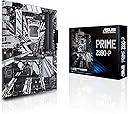
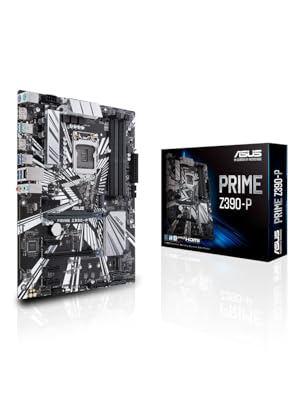
💻 Unlock elite mining & gaming power with ASUS Prime Z390-P — where speed meets stability!
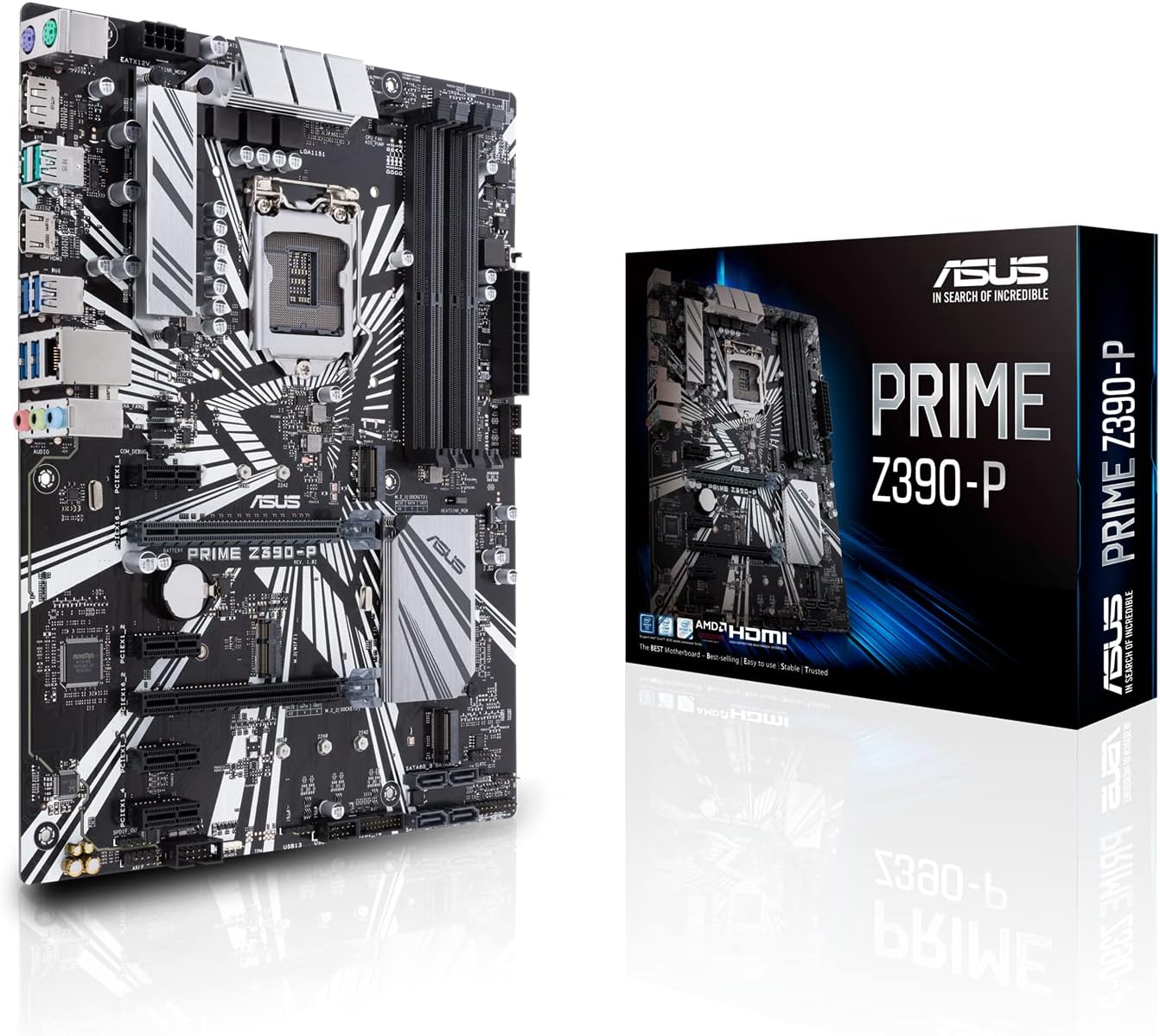
The ASUS Prime Z390-P motherboard is engineered for professionals and crypto miners seeking robust performance with Intel 8th and 9th Gen CPUs. Featuring six PCIe slots fortified with Safe Slot Core for multi-GPU setups, USB 3.1 Gen2 for rapid data transfer, and advanced cooling controls, it ensures reliable, high-speed operation. Enhanced by 5X Protection III hardware safeguards and Asus Optimum II for superior DRAM overclocking stability, this ATX motherboard is a durable, future-proof foundation for demanding desktop builds.


| Asin | B07HCT5GBD |
| Best Sellers Rank | #231 in Computer Motherboards |
| Brand | ASUS |
| Built In Media | IO Shield, M.2 Screw Package(2), PRIME Z390-P, SATA 6Gb/s cables(2), Support DVD, User's Manual |
| Chipset Family | Z390 |
| Chipset Type | Intel Z390 |
| Compatible Devices | Personal Computer, Desktop |
| Compatible Processors | Intel Socket 1151 9th / 8th Gen Intel Core, Pentium Gold and Celeron Processors |
| Customer Reviews | 4.4 4.4 out of 5 stars (1,815) 4.4 out of 5 stars |
| Global Trade Identification Number | 00192876128497 |
| Graphics Card Interface | PCI Express |
| Item Dimensions L X W X H | 10.34"L x 2.09"W x 12.91"H |
| Item Type Name | ASUS Prime Z390-P LGA1151 (Intel 8th and 9th Gen) ATX Motherboard for Cryptocurrency Mining(BTC) with Above 4G Decoding, 6xPCIe Slot and USB 3.1 Gen2 |
| Item Weight | 600 g |
| Main Power Connector Type | 24-Pin |
| Manufacturer | ASUS Computer International Direct |
| Memory Clock Speed | 2400 MHz |
| Memory Slots Available | 4 |
| Memory Storage Capacity | 64 GB |
| Mfr Part Number | Prime Z390-P |
| Model Name | Prime Z390-P |
| Model Number | Prime Z390-P |
| Number Of Ethernet Ports | 1 |
| Number Of Items | 1 |
| Number Of Ports | 25 |
| Platform | Windows 10 |
| Processor Socket | LGA 1151 |
| Ram Memory Technology | DDR4 |
| S Pdif Connector Type | Optical |
| System Bus Standard Supported | SATA 3 |
| Total Number Of Hdmi Ports | 1 |
| Total Pcie Ports | 6 |
| Total Sata Ports | 4 |
| Total Usb Ports | 13 |
| Upc | 192876128497 |
| Warranty Description | 3 years |
User
design is nice.
every good quality
User
Great 6 GPU Mobo with caveat
It does indeed utilize 6 GPUs as some others have stated. You do need to disable things like HD audio, and enable 4g encoding. (I did not need to update my bios to do this.) It also does appear to be that the GPUs DO need to be the exact same make/model/etc. In fact, yesterday I bios modded my cards, and now it only sees 4 and will not even post with more than 4 installed. Each card works great solo.I will be testing today once home from work if I flash them all with the exact same bios if the mobo will then boot with all 6. Up until this point though, the motherboard has worked great out of the box, looks good, and has been exceptionally adequate for my needs. Especially for the price at which I purchased it.UPDATE: I actually added in 2 other cards via a PCI-e 4 way splitter so now I am running 8 gpus on this board. In addition to this, 2 of them are different models from the other 6. I am running 6 rx 580 4 gb, 1 rx 480 4 gb, and 1 rx 570 4gb. They do NOT have to all be the same card.
User
Great "Budget" Z390 Board
Had everything I needed and it all works. I love the M.2 CNVi compatible wireless card slot. I bought an Intel AC-9560 wireless card (requires CNVi) and it works extremely well in this board.Be aware that older BIOS (0605/0805) will not display any video if trying to boot with a Samsung 970 EVOPlus NVMe SSD. I had to remove it to be able to see BIOS/UEFI on boot. After updating to BIOS 1002 the card was recognized and I had video.Also note that this board only has four (4) SATA III ports. It was all I needed but has caught others by surprise.
User
Attention Miners - How to enable 6gpu support
Good Motherboard for 6 gpu mining rig. It will accept 6 but you have to do certain things to pull it off. 1) before you connect any riser or peripheral (just ram/cpu/disk connected), hook it up to monitor (hdmi) and update the bios. 2) after you update the bios to latest, enable "Above 4g decoding" in the advanced section (it's under "system agent (SA) configuration" of the bios (please note if you do this first, then update your bios, it will fall back to 4g encoding = disabled after the bios update). Once you get those options set, go ahead and load up your OS (Windows10) and set it all up. Then you can connect your riser cards to the motherboard, with one important detail, all 6 cards have to be identical (same manufacturer, model, etc). It will not work with mixed manufacturer cards or different models (using the 3/16/21 v2080 bios). As an example 2 gigabyte nvidia 2080's and 4 asus nvidia 3070's will not work, locks up and no video. However if you use 6 MSI AMD 5700 xt's, it will load like a champ (or 6 of any identical card). Another thing to point out, if you have trouble with AMD cards loading the amd adrenaline driver (blue screen's or fails to load it), you have to add a windows 10 registry key to lengthen the wait time for windows to find the card on the riser (google how to add TdrDelay to registry) that will solve the blue screen's. Good luck! and yes I spent about 2 days of trial and error to figure all this out. :) I have 4 (6gpu) mining rigs using this mainboard so it is possible.
User
Miner Motherboard
Wanted to provide a recent review for those who are considering this Motherboard for mining. I can confirm that mix manufactured cards (Nvidia and AMD) in the same rig will not work. Otherwise Same card models will. I have 6 x AMD 6700XT running Pretty close to 47/MHs. Still messing with settings. I am running my mining setup on Windows w/Team Red miner. Like previous review, Update BIOS to latest version (3004). In bios, just reset everything to default after update (F5). Use F9 for search, type 4G -> Enable both. Change all PCIE speeds to GEN2, Disable Audio, Serial and SATA ports not in use (I am using #1). Lastly, make sure CPU is being used as default graphics display, not auto and disable fastboot. You May need to do a TdrDelay Mod of 8 to 10 in windows with 5 Video Cards Plugged in. My Tdr setting is 8. PCIx1_1 should be the last slot for your last video card. 5 Video Cards works with no prob, once you add TdrDelay w/bios settings, Windows Boot might take 30sec-45 with that 6th card, so just wait for the display to turn on. The video driver didn't fail. 46.6-47.5 MHs is norm for 6700xt on this build. Hope this helps any future folks. Can't comment on HiveOS, I just avoid it, so can't speak to 6 cards with Linux, only windows.
User
Good motherboard but be very clear on its limitations.
Used to replace the A version in a more simplified application. It’s pretty nice but not that easy to install. Some of the pin locations are too different from the A motherboard which makes no sense, since it’s supposed to be the same board with a few less features. Regardless it works just as well as the A board it replaced.
User
ASUS products are usually good but….
Concerned I got a refurbished product.Motherboard failed after 8 months. Went to get product support but my serial number seems to have been replaced by… something else. I tried to give the number to ASUS support (great customer service btw) and they couldn’t find my product. The sticker where the serial number should be looks totally different than the manufacturer’s website. Still able to send it back for diagnostic because the ASUS product support team are bros.Included is the sticker from the website vs mine. Something sketchy seems to be going on. Would very much appreciate support on this. Will change my review if i can get a clear answer on what’s going on.
User
Excellent
👍
User
5 étoiles :-)
Avec ASUS ont est certains de ne jamais se trompé sur la qualité, parfait pour un utilisation quotidien régulier.
User
Buen producto
Sinceramente buen producto, funciona al 100, recomendado
User
Simple et très complète
Tout est dit dans le titre, très bonne carte comme savent le faire Asus...
User
Very good board for its costs
Works perfectly for me. I went with the i7-8700K, and this board runs it at 5Ghz with no problems.
User
Trotz defekten Artikels Kompetent
Sehr freundlich und kompetent. trotz defekten Artikels. Rücknahme ging reibungslos.
Trustpilot
1 month ago
3 weeks ago