Buy anything from 5,000+ international stores. One checkout price. No surprise fees. Join 2M+ shoppers on Desertcart.
Desertcart purchases this item on your behalf and handles shipping, customs, and support to British Virgin Islands.
๐ Upgrade your home network to pro-level speed and control โ because buffering is so last decade!
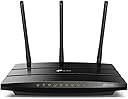
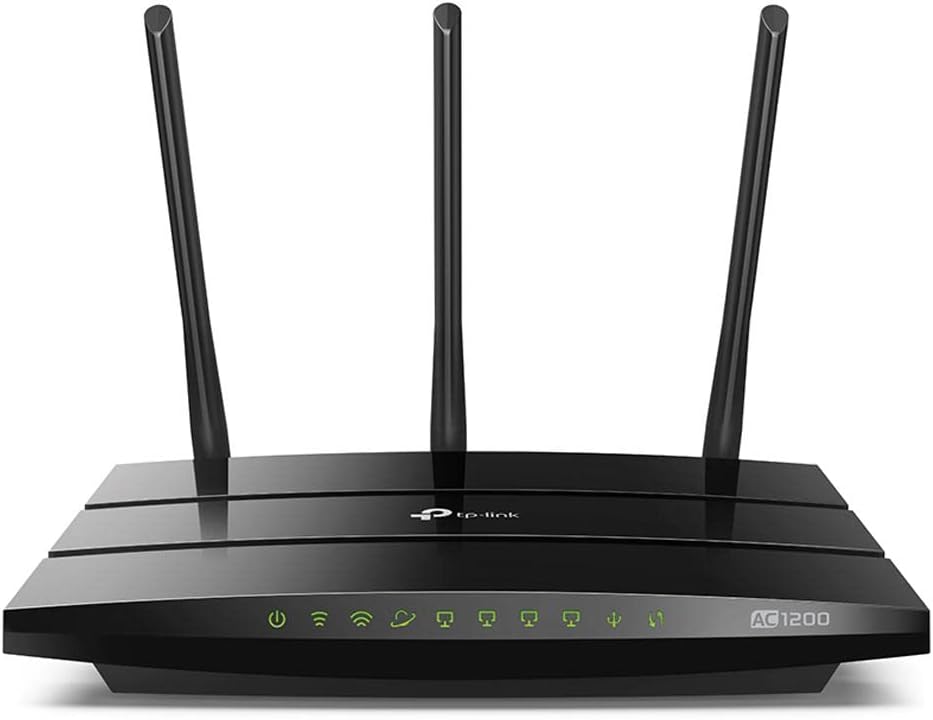
The TP-Link AC1200 Gigabit Smart WiFi Router delivers dual-band wireless speeds up to 1200 Mbps, combining 2.4 GHz and 5 GHz bands for optimized streaming and gaming. Equipped with four Gigabit Ethernet ports and a USB 2.0 port for shared storage, it supports advanced security protocols and guest network access. Manage your network remotely via the TP-Link Tether app, with parental controls and a 2-year warranty ensuring reliable, secure connectivity for modern smart homes.


| ASIN | B01IUDUJE0 |
| Antenna Location | Home |
| Antenna Type | Retractable |
| Best Sellers Rank | 202,978 in Computers & Accessories ( See Top 100 in Computers & Accessories ) 1,547 in Routers |
| Box Contents | AC1200 Wireless Dual Band Gigabit Router, Archer C1200, Ethernet Cable, Power supply unit, Quick Installation Guide |
| Brand | TP-Link |
| Brand Name | TP-Link |
| Colour | Black |
| Compatible Devices | Laptop, Personal Computer, Smart Television, Smartphone, Tablet |
| Compatible devices | Laptop, Personal Computer, Smart Television, Smartphone, Tablet |
| Connectivity Protocol | Wi-Fi, Ethernet |
| Connectivity Technology | Wi-Fi |
| Control Method | App |
| Controller Type | vera |
| Coverage | Wide and extended coverage |
| Customer Reviews | 4.2 out of 5 stars 6,610 Reviews |
| Data Transfer Rate | 1200 Megabits Per Second |
| Frequency | 2.4 GHz |
| Frequency Band Class | Dual-Band |
| Frequency band class | Dual-Band |
| Global Trade Identification Number | 00845973096052 |
| Has Internet Connectivity | Yes |
| Is Modem Compatible | No |
| Item Type Name | TP-LINK Dual Band Wireless AC1200 Gigabit Router, 2.4GHz 300Mbps with 5GHz 867Mbps, 1 USB Port (Archer C1200) |
| Item Weight | 0.5 Kilograms |
| LAN Port Bandwidth | 1200 megabits_per_second |
| Manufacturer | TP-LINK |
| Manufacturer Part Number | Archer C1200 |
| Maximum Upstream Data Transfer Rate | 300 Megabits Per Second |
| Model Name | Archer C1200 |
| Model Number | Archer C1200(US) |
| Model name | Archer C1200 |
| Number of Antennas | 2 |
| Number of Ports | 5 |
| Operating System | Windows 98SE, NT, 2000, XP, Vista or Windows 7, Windows 8/8.1/10 MAC OS, NetWare, UNIX or Linux |
| Other Special Features of the Product | Parental Control |
| Router Firewall Security Level | Basic |
| Router Network Type | Wireless Router |
| Security Protocol | WEP, WPA, WPA2 |
| Smart Home Compatibility | Smart Home Compatible |
| Special feature | Parental Control |
| UPC | 845973096052 |
| Unit Count | 1.0 count |
| Voltage | 9 Volts |
| Wi-Fi Generation | Wi-Fi 5 |
| Wireless Compability | 802.11ac |
| Wireless communication standard | 802.11ac |
T**R
Full featured
Easy to install and set up
A**R
Comes with EU power supply
B01IUDUJE0 from amazon.co.uk came with an EU two pin plug on the power supply. Try B0743HB9H2 for the UK model.
J**E
Great router
I did a lot of research before buying these. After switching over from the standard Optus router I was using my speeds doubled on NBN, and with better wifi signal. I was lucky to get above 50mb/s before, now I consistently get 95-110mb/s. Easy to setup and use, no issues whatsoever. Wrote this review after daily use for 6+ months
R**E
empfehlen
wenn ich in China, benutze ich immer TP-link, das ist die erst mal ich kaufe in Deutschland die Wifi. alles in ordnung.
O**L
Replacing my old router (which was "good enough" on paper but not in practice) cured all problems, super happy with this router!
UPDATE 2/7/17 - Still lovin' it. Just an exceptional, solid router that just plain works. Range is amazing, and it just delivers with a fairly complicated setup (again, I have Fire sticks, half a dozen tablets, multiple wireless desktops upstairs and downstairs, PlayStations, multiple IP cameras including one outdoors about 100 feet away from the router, you get the picture). THE ONE HANGUP I had was that it didn't have a dedicated WPS button; well, I was just flat out wrong. There IS a tiny WPS button on the backside right next to the base of an antenna next to the LAN ports. I'm used to seeing the button on the front of routers, and it is so small I just didn't see it on the back, and there was no mention in the basic documentation (but a helpful Amazon user found more info on the TP-Link website and let me know - thanks for that and thanks for reading my review!). ORIGINAL REVIEW: I recently gave Uverse the boot, and went back with Time Warner (now Spectrum). Uverse forced me to use their lousy router (replaced 5 times - don't even get me started - horrible couple of years). I also had a router that was about 5 years old (Cisco / Linksys), and so I figured I would be good to go. Well, performance of my IP cameras, laptops, and Amazon Fire Stick were not so great with my new setup. I figured it was Time Warner's fault, but decided to take a gamble and just flat-out replace my router. So I arrived on the TP-Link AC1200 due to the low price but high performance specs. And I have to say I am blown away with the performance. I have been running it for over a month, and not ONCE have I had a hiccup where I needed to reboot the router. I have now been able to easily do port forwarding for my IP cameras, and connect as many devices as I want, with zero issues. Even my Fire Stick now performs like a champ (almost zero hesitation, even running wirelessly in a bedroom about 50 feet from the router). The range is excellent, signal strength excellent, reliability excellent, and I'm thrilled. My ONLY complaint is that much to my surprise (and maybe because I still have a mindset and skillset more relevant to 2010?!?), there is not a dedicated WPS connection button. All of my IP cameras use WPS to connect, and so each time I had to open up a browser window, log into the router, and go to the advanced settings in the wireless screen to temporarily enable WPS. Not a show stopper because I rarely need this function, but it is a pain to have to go through those steps. Who knows, maybe that is a "security feature", but for me it is just a little extra trouble. Regardless, the incredible performance and stability of this unit has made it WELL WORTH the upgrade over my previous router which on paper still "should" have been good enough for my needs. Very highly recommended!
K**S
Speed of 2.4 Ghz is half the speed of 5 Ghz.
Earlier review 1: 1 star-I was very excited about this router but it came as a big disappointment. Router came with all other accessories as promised. Range is quite good. However it doesn't connect to the internet. I have ordered for a replacement of this router. Let's see if it works. Earlier review 2: Range looks good. However the speed barely crosses 50 Mbps (I hv a 100 Mbps connection) in 2.4 Ghz frequency band. It supports 100 Mbps in 5 Ghz. Good router except for that speed drop for 2.4 Ghz channel. I dont know why it is like that...Also surfinig is an issue. Set up was easy. I wasnt taking any chances this time. Present review: I am writing after 20 months of usage. Product is very good. Get good speeds in 5 Ghz. Worth the buy
J**A
esta bien
esta bien tiene buena relacion calidad precio
Trustpilot
3 weeks ago
3 weeks ago