We remain fully operational. Our teams are working around the clock to ensure your deliveries continue safely.

DOWNLOAD THE APP


Customer Services
Copyright © 2025 Desertcart Holdings Limited
DOWNLOAD THE APP
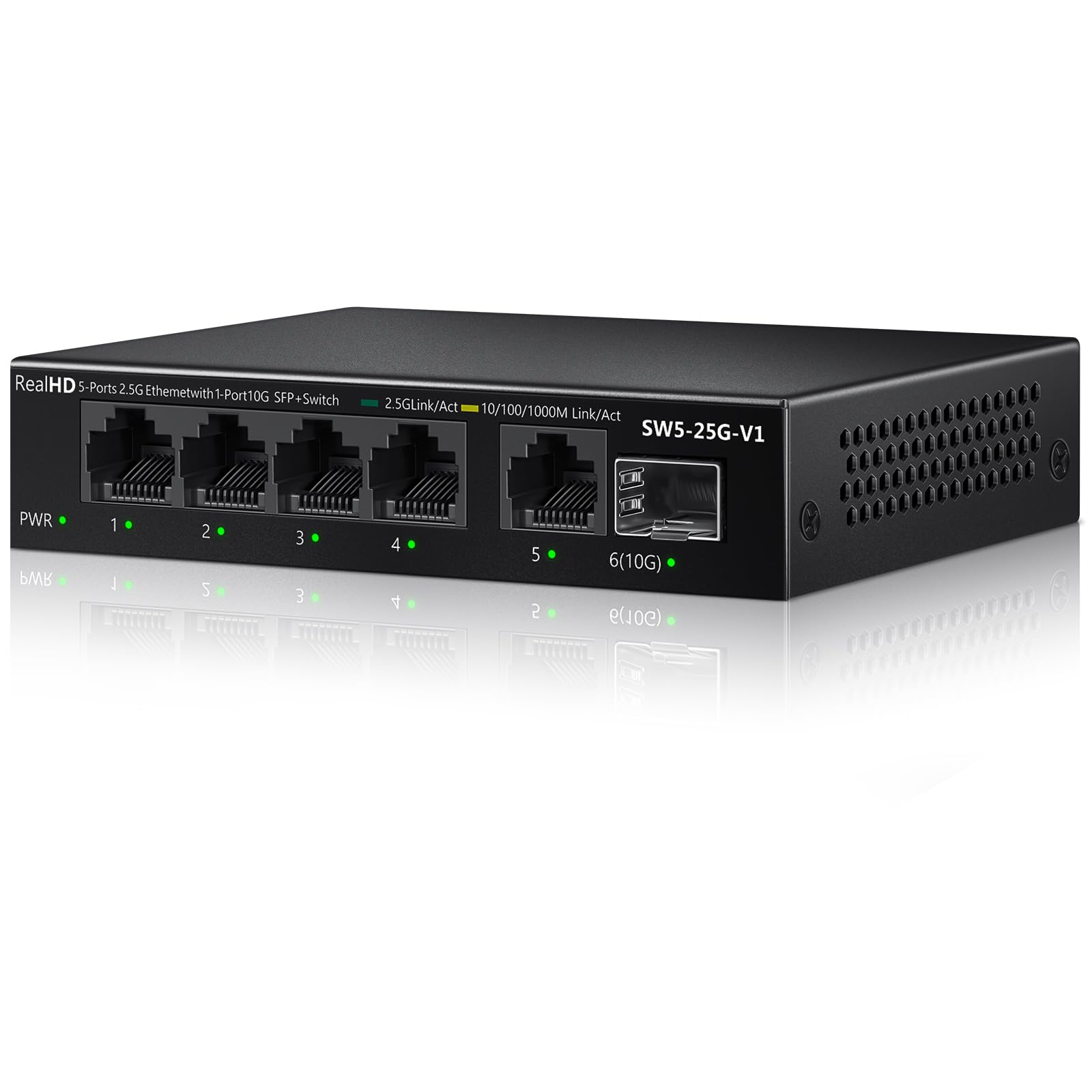




⚡ Supercharge your workspace with lightning-fast, silent networking!
This unmanaged 5-port Ethernet switch delivers 2.5Gbps speeds across five RJ45 ports plus a 10G SFP+ uplink, supporting multigigabit devices and backward compatibility with 10/100/1000Mbps. Its fanless metal design ensures quiet, durable operation with built-in lightning protection, making it ideal for professionals upgrading to next-gen wired networking without hassle.


| ASIN | B0CWTY4Y6F |
| Brand Name | Real HD |
| Case Material Type | Metal |
| Color | Black |
| Compatible Devices | Laptop, Gaming PC, NAS, 4K Video |
| Customer Reviews | 4.6 4.6 out of 5 stars (340) |
| Data Transfer Rate | 15 Gigabits Per Second |
| Interface | RJ45, SFP+ |
| Item Weight | 0.4 Kilograms |
| Manufacturer | Real HD |
| Manufacturer Part Number | SW5-25G |
| Model Number | 5 Port 2.5GB Switch Unmanaged |
| Number of Ports | 6 |
| Platform | Not Machine Specific |
| Switch Type | unmanaged |
| Upper Temperature Rating | 50 Degrees Celsius |
J**S
No issues with these. I haven't tried the SFP connection with optical. It would be ideal for daisychain more than one of these together. It does connect at 2.5Gbps and gives the rated speed. I didn't feel any heat concerns with it. Just plug and play. Your modem/router needs to support 2.5Gbps and ISP to support 2Gbps speeds or faster to see the results on speedtest with a 2Gbps plan for faster. Home use device to device on LAN you should see about 220MB a second file transfers depending on your device capabilities.
S**Y
To the point I wanted to build an optically isolated network capable of having any 4 computers be able to simultaneously communicate with servers located in the network closet 30meters away. This was in the tropics where the lightning has so much current it can create ground differentials between parts of a building of 3000+ volts ripping through the magnetic isolation of wired ethernet! So the solution was two of these switches, a pair of fiber transceivers (ASIN B08BP55663) that these switches have a port for a 10GB/sec transceiver, and of course a pre terminated fiber cable. Using this equip one switch sits in the network closet connected via one or more 2.5Gbps ethernet NIC's then go through the 10-100m of optical fiber to the other identical switch that connects to the desktops at 2.5Gbps. I have two setups as described above in locations that have previously experienced equipment damage by lightning and to date this along with quality UPS on each end has protected against lightning damage. No guaranty's here but it is safe to assume that a non-conductive optical link across a large building or between two buildings is going to be much better than a conductive copper link and using these inexpensive switches this arrangement can be inexpensively done and still support the more than double speed that 2.5gbps ethernet offers. In the past few years more computers and system boards have 2.5gbps built-in and 2.5gbps NIC cards can be had for under $20 so even if now you only want/can use 1Gbps with these switches you are future proofing/preparing for double speed!
A**R
Works as describe, If your paying the ISP for more than a Gig you need these
T**5
I recently upgraded to fiber internet and wanted that extra speed! I bought this to get my 2.5gbs! Most switches dont have that capability and especially not at that price! I eneded up hard wiring my whole house and putting a few of these throughout the house in different rooms! None of them have been hot to the touch, you plug them in and they just work! I would recommend upgrading your wiring if your still using CAT5, but these are a must if you want the speed!
H**G
losing ur connection eventually its comingback soon but i need to log in again all my clients again and again (UPDATE) when you use port 1 to 4 device work stable !!
Trustpilot
1 week ago
2 weeks ago