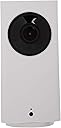
๐๏ธโ๐จ๏ธ Stay connected, secure, and in controlโyour homeโs smartest guardian.
Wyze Cam Pan is a versatile indoor smart camera featuring 360ยฐ horizontal and 93ยฐ vertical pan/tilt with 8x digital zoom, delivering crisp 1080p HD live streaming. Equipped with night vision up to 30 feet, two-way audio, and smart motion/sound detection alerts, it integrates seamlessly with Alexa and Google Assistant. Designed for easy family sharing and remote control via the Wyze app, it ensures comprehensive home monitoring with instant notifications and continuous recording options.


| ASIN | B07DGR98VQ |
| Alert Type | Audio and Motion |
| Antenna Location | Indoor Security |
| Best Sellers Rank | #3,872 in Dome Surveillance Cameras |
| Brand | WYZE |
| Built-In Media | 1, Wyze Cam Pan^6 ft USB Power Cable^Power Adapter |
| Color | White |
| Compatible Devices | Ios |
| Connectivity Protocol | Wi-Fi |
| Connectivity Technology | USB, Wi-Fi |
| Control Method | Voice |
| Controller Type | Amazon Alexa, Google Assistant |
| Customer Reviews | 4.5 out of 5 stars 73,933 Reviews |
| Effective Video Resolution | 1080 pixels |
| Enclosure Material | Glass |
| Focus Type | automatically |
| Form Factor | Dome |
| Global Trade Identification Number | 00859696007028 |
| Indoor Outdoor Usage | Indoor |
| Indoor/Outdoor Usage | Indoor |
| Item Dimensions | 2.36 x 2.36 x 5.02 inches |
| Item Type Name | Wyze Labs WYZECP1 Smart Home Cam Pan, White |
| Item Weight | 8.78 ounces |
| Light Source | Infrared |
| Manufacturer | Wyze Labs, Inc. |
| Manufacturer Warranty Description | 1-year limited warranty |
| Memory Storage Capacity | 128 MB |
| Mfr Part Number | WYZECP1 |
| Model Name | WYZECP1 |
| Model Number | WYZECP1 |
| Mount Type | Wall Mount |
| Night Vision | Night Color |
| Number of Channels | 1 |
| Number of Items | 1 |
| Other Special Features of the Product | Motion Sensor, Night Vision |
| Photo Sensor Technology | CMOS |
| Power Source | Corded Electric |
| Recommended Uses For Product | Indoor Security |
| Room Type | Classroom, Kitchen, Office |
| Special Feature | Motion Sensor, Night Vision |
| UPC | 859696007028 |
| Unit Count | 1 Count |
| Video Capture Format | MPEG |
| Video Capture Resolution | 1080p |
| Voltage | 230 volts |
| Waterproof Rating | IP65 |
| Wattage | 10 watts |
| Wireless Technology | Wi-Fi |
| Zoom Ratio | 8x |
| Zoom Type | Digital Zoom |
T**L
Excellent Bang for the Buck!!
I was looking for an inexpensive way to see the view from the west side of my house on my TV which is mounted on the west wall of my living room. Unfortunately, the downstairs of my house only has windows facing the west inside the master bedroom (directly behind the living room wall). Living in the main house we only had a view from our kitchen and living room to the backyard. The day we moved in I said I would find a way to get this problem resolved by using a WiFi cam that tied into the TV. After arbitrarily researching over the past 1+ years, I came across this little Cam and figured, "why not give it a go...". Reading some reviews, I kind of got the impression it would work with my Fire TV Stick. But first I investigated what App came on the Fire TV Stick and I saw 3 apps available. So I went ahead and purchased it hoping one of them might work. The day arrived, I got it - yea!! Now on to hooking it up, which was ridiculously easy. That is plugging it in anyway. Of course I downloaded the Android APP and did everything needed and I was up and running in no time. Now for the TV. Of course none of the APPS on the FIRE TV Stick worked. Well, that's not to say they won't but I wasn't ready to spend hours or days or weeks trying to figure out all the techno guru stuff required to make it work. After a couple of hours of researching I found someone indicate that it would work by going to and downloading the Wyze App at apkmirror.com. After searching "Wyze" I found the suggested download of 2.0.26, downloaded it to my USB thumb drive, mounted the thumb drive and my wireless keyboard to the Fire TV Stick, opened ES Explorer and installed the APP. Woohoo! It worked - But NO IT DIDN'T!! I mean it did work, but my picture was squeezed at the top of the screen - UGH!!! The APP was thinking Portrait mode, not landscape mode. So off to do more research on how to turn the image 90 degrees. After researching and researching, I came up with nothing. But then I thought, "I cannot be the first one to have this issue...". I went back to APKMirror.com and downloaded the latest APK 2.3.69 after reading through all the versions. I can't recall which version fixed this but one of them I read a blurp indicating they gave it the ability to rotate the image. So I went for it and downloaded the latest version hoping that the option flowed into the newer versions. SUCCESS!! After installing, I notice those 4 little "crop" marks in the upper right hand corner of my screen. Clicked on it and WALLAH! My screen rotated and I got my landscaped Full Screen of my Window. Now we can stair at the TV while cooking dinner and see the storms approaching from the west. Most people would have rated this between 1 and 4 stars. However, I went into this expecting not to get what I wanted. What I got however, was a great camera at a great cost. I am fortunate that I had been in IT for the past 40+ years so troubleshooting isn't a stranger to me. For those feint of heart, well - that's why you hire, Computer Techs, CPI or other technology firms to do this for you. Oh - one last note. For those who do not know how to work "inside" the operations of the Amazon Fire TV Stick, please take the time to research and understand how to use your TV stick "outside the box" so-to-speak... Good luck. Now on to getting more Wyze devices pointed all over the place. I found buying many of these devices on the Wyze website might turn out to be less costly. However they do charge shipping so I need to do a bit more research for promo codes, etc...
N**R
Amazing picture, features, ease of use at this low price! How does it stack up against Nest?
This little camera is VERY impressive. I currently own a Nest IQ indoor camera and have owned a couple Foscam indoor cameras in the past. This Wyze camera produces excellent picture quality and has a very easy to use app. The fact that you get 14 days of clips storage for free just blows the Nest cam out of the water. This camera does so much that the 10x more expensive Nest Cam IQ at a fraction of the price. So how does this stack up against the much more expensive Nest Cam IQ indoor camera? * You don't get continuous recording stored online, you only get clips stored online. However, you can pop a $10 32GB microSD card into this Wyze camera and get continuous local recording (meaning it's being recorded on the card in the device). You can view your recordings in the app. At HD quality, you get a couple days storage on a 32GB card, more if you go SD quality. *You don't get the ability to turn the camera on/off based on whether or not you are home. Personally, I really like this feature so it isn't recording us when we're home. Just feels weird. Wyze support says they may add this via IFTTT in the future. You can control whether or not motion recording is on when you are home using IFTTT. However, I"ve found it a little buggy. *You don't get the Nest IQ facial recognition which is very high tech. I'm not sure how important this is for an indoor camera. It's amazing for the Nest Hello doorbell. *You don't get a monthly fee with the Wyze cam. You pay a fee for the Nest Cam IQ. I can't believe this thing is so cheap and works so well. It has so many features like the big guys. Even the two-way audio is decent. If I had one complaint, it's that the motor that rotates the camera is a little loud. I'm still giving this 5 stars. I guess its sensitivity to sound is a little high too. It seems like it's too good to be true. If you are looking for an indoor security camera, you found it. TIP: I am using this SD card in the camera and it's working fine. Inexpensive and does the job if you want local recording - . Silicon Power-32GB High Speed MicroSD Card with Adapter - New Edition NOTE: In the video, I have the camera attached to a mini-tripod. The camera has a standard screw mount for a tripod. You can get a little tripod for around $10. I like it because it raises the camera a bit and provides some extra stability, decreasing the chance it can be knocked over. ----- 07/2019 HERE ARE SOME ANSWERS TO COMMENTS PEOPLE HAVE LEFT BELOW ---- - Yes, it will continue to do its cloud recording when you have an SD card installed. There is an "events" tab on the main page of the app for the clips. You can also open a specific camera and tap "view playback" to see the continuous recording. When viewing on the SD card, there is a delay as it loads up the video. For example, you scroll the time line back 8 hours then there is a 3-4 second delay as it loads the chunk of video around that time. Once it loads, you can move back and forth in it instantly. - I am going to say my 32GB card is getting a little over 3 days recording in a room with only light activity. I can't speak to how that time grows as you increase the size of the card. I'm not sure if 64GB would get you 6 days. Seems like it would though. - To the person that thinks the app is useless, I'm sorry to hear you are having such troubles. I think the app works well on my Android phone (I don't know about iOS). However, I do believe that those kinds of things can happen. It's not a perfect app and they are adding features which can introduce bugs. Considering the cost of this camera, the app is phenomenal but some people are going to have problems. Hard to predict. - The other app question about it being efficient - yes, it works much better than those other cheap camera app. There is about a 2-3 second delay before it brings up live video. I'm not experiencing freezing. However, that is heavily dependent on the network in your home and the network you are using on your phone when you access it (e.g. mobile, slow WiFi, etc.). - I'm not sure about the comment about not auto-rebooting when you lose WiFi? I'll say that the cameras survive power failures perfectly. We just had a three hour one last night. Booted right back up. I have reset my network periodically which causes my WiFi to go down for about a minute and the cameras come right back online. I'm still using this one and the regular Wyze cam. I still think these are SHOCKINGLY good values. I feel like I wasted so much money on my Nest cam. I should sell it and buy 5-6 Wyze cams.
K**E
Great value. Easy, simple security
I have had a number of wireless security camera systems over the years. Most are just OK and require some serious effort to set up and operate. I wanted some cameras for inside our vacation home and didn't want to upgrade my existing system. Saw the reviews on these and decided to give them a try for the price. Ordered three stationary and one Pan/Zoom. Set up was super easy after getting a good internet connection and the quality of the pictures is more than expected at this price point. Had them up for 2 weeks now and everything is working fine. Night vision is reasonable as long as you're not looking too far away. Motion sensing seems to be OK, with only a few false alarms. Images are generally good, sharp at 1080 and with good color balance with natural light. Pan/Zoom camera works well and can be set up to automatically pan or you can do it manually. They are quick and quiet too. Wyze offers unlimited cloud storage at $1.49/month per camera. Certainly can add up with a lot of cameras, but offers protection should someone break in an steal the cameras along with their SD cards. At least you'll have the motion capture images of the thieves in the cloud. Overall, very pleased with these cameras so far. For the price, it's hard to beat the value. Will be buying more soon. I have had a number of wireless security camera systems over the years. Most are just OK and require some serious effort to set up and operate. I wanted some cameras for inside our vacation home and didn't want to upgrade my existing system. Saw the reviews on these and decided to give them a try for the price. Ordered three stationary and one Pan/Zoom. Set up was super easy after getting a good internet connection and the quality of the pictures is more than expected at this price point. Had them up for 2 weeks now and everything is working fine. Night vision is reasonable as long as you're not looking too far away. Motion sensing seems to be OK, with only a few false alarms. Images are generally good, sharp at 1080 and with good color balance with natural light. Pan/Zoom camera works well and can be set up to automatically pan or you can do it manually. They are quick and quiet too. Wyze offers unlimited cloud storage at $1.49/month per camera. Certainly can add up with a lot of cameras, but offers protection should someone break in an steal the cameras along with their SD cards. At least you'll have the motion capture images of the thieves in the cloud. Overall, very pleased with these cameras so far. For the price, it's hard to beat the value. Will be buying more soon.
P**T
Good Cam with a few flaw, worth $ 35
I'm not using my cam for internal monitoring, but want to monitor the front entrance of my house. I'm using a small 4GB micro SD card. You'll need this if you want to record about 9 hrs of continuous video. I have it on the front widow sill (inside my house). When sun is not shining on the camera, photo and videos are clear. When you try to zoom in on an object, there is pixelation. Someone standing 10 ft from the camera (through the window) can be recognized, 15 - 20 ft, no way. When sun shines on the camera, you get a ring reflection (sun shines on the window and reflects light and camera picks up the reflection). Night time, turning night vision on will also reflect on the window making viewing not visible. Notification when motion detection didn't work for me until Wyze support informed me that I needed to use an app from the apple store called IFTT. It basically has you connect to an API interface to your cam. It's like when use use a 3rd party app to connect to Amazon's Alexa enabled devices; e.g. plug to control a light. IFTT (if that, then this) has prebuilt macros and you tell it to do something (e.g. text you) when the cam is triggered (motion detection). Why can't Wyze do this without a 3rd party app. NetVue came can do this. Odd. In any case, I'm limited to 100 notifications a month (unless, I'm presuming I pay for additional notifications using IFTT). Notifications were being triggered and I was getting text whenever motion was detected. I noticed notifications were not consistent. I've walked in front of the cam several different days and it didn't notify me. Keep this in mind. Overall, Wzye cam is easy to set up and use. For internal monitoring, I'm sure you won't have sun reflection problems, and motion detection problems or night vision issues. Using for my specific needs, it's a little flawed. I wish the text notification was built into Wyze app. Perhaps a s/w upgrade will fix this. Not perfect, but decent for $ 35. I do like the 360 rotation and up and down mobility of the lens. I hope they improved the notification software as it is good, but not great. Lastly, if a notification occurs, it does record a segment of the video onto the micro SD card. You use the mention to look at Notifications and can replay the snippet.
B**P
Worth Every Penny!
I absolutely love this camera. I heard about this from a coworker and after seeing her app and the video quality and control she had from her phone, I knew I had to have one for my pet! First of all, I am in NC and got my product delivered to me in less than 24 hours and shipping was free with prime. Second, this product was packed perfectly in a small box and was delivered damage free. Third, the set up for this product was beyond easy. I was worried at first because there are only a few steps and most 1 star reviews were for set up, but I have to say, it was so simple. You download the app and create a log in. Then, you plug in the camera and wait 15 seconds for the light to start blinking. Once it's done, you hold the set up button (which is clearly marked in the instructions) for about 3 seconds until the device says to you that it is ready for set up. You go back to the app and click "i heard device ready for set up" and a barcode will pop up on your screen. You hold it up in front of the camera until the camera says "barcode captured" out loud. Once it does your device will be set up to the same wifi network as your phone and it's all done! It took less than 5 minutes. It was so easy and I was instantly able to see my pet. You can control the image by zooming in and moving the camera can be done two ways. You can either use the circle pad shown in the picture, or, you can just move your finger directly on the image. You can also turn the camera on or off through your app, and only those with the verification code can access it. I love this camera because you can have more than one connected in the same app and you can have more than one user phone connected to the camera. I can also talk through the camera and hear what's happening on the other end. This was well worth what I paid and I will be buying more for other rooms!
H**R
LOVE THIS CAM!!
I wish I had a night vision pic and a pic from the old camera we had so you could see the difference in quality. But at least you can get an idea :) We had a diff. cam & it just stopped working, it had most of the features this cam does but the night vision def. sucked on the other cam we had, & it didn't rotate or do motion detection. But anyway, this cam is really nice, I love that it has 2 way audio (because when I'm watching my fur babies on it & if one of them gets into something they shouldn't I can yell at them). The pic and video quality is great, & I love how it automatically adjusts for the lighting, & the night vision you can actually see but its kinda creepy also lol. The ONLY thing I would say kinda stinks (but its NOT the end of the world) is the sound quality. For example when I'm listening in on my dogs we have a radio going & the sound quality goes in and out and I can't even hear the music. Same as when you talk into it its clear, but it does go in an out so that's kinda disappointing (& I know for the price of this cam its not that big of a deal but you would think it would be a little better). Other than that, my fiance & I love this cam & I would def. recommend to a friend (because my coworker has the same one & she recommended to me). Oh, and its really handy that you can turn the cam off and on using the phone app, & you can rotate the cam w/the phone app using the button/wheel thing or you can do it w/your hand and just drag up or down, left or right on your phone screen. You can also add people so they can have access to the cam if you wanted. We don't turn the motion detection or pan scan on because we just have it in the one room and the dogs stay in view most of the time. And I just found it annoying when its scanning because its constantly moving & scanning & it makes a little noise & we don't really need the whole room to be scanned. I don't really know what the face recognition does, so I can't say anything about that. But for the price of the cam & all the features it has and all it can do, its def. worth paying for!
E**F
Fantastic little dropcam for $35.
These little guys are amazing. I bought them to keep an eye on my new kitten while I'm at work. For $35 I was not expecting much, basically some grainy video that was just good enough to watch my cat while connected to the same WiFi network. I was really surprised at everything about these little drop cams. Video: Video quality is awesome - you have a choice between 1080p HD, regular "SD" which I assume is 480p, and 360p for bad connections. I have had no issues streaming live video over my cell connection at work at full 1080p. They also have excellent night vision. My kitty likes to hide under the bed, so naturally I put one of these down there so I could watch him. Crystal clear even in the middle of the night. Audio: The camera has two-way audio and it generally works great. I can hear what's going on on the camera side with no problems. Sometimes, especially over a cell connection from work, the audio from me to the camera isn't the greatest quality ever, but my fiancรฉ tells me that it still comes through loud and mostly clear. I'll take that for the price. PTZ: The PTZ features are also great. Again, I can move the camera from miles away, over a cell connection, with no problem. It's not jittery and the movement and connection are rock solid. It also has a nifty little motion tracking feature that will follow any motion detected in the frame. It doesn't always work perfectly and sometimes gets confused by reflections in the mirror, but it generally works and follows my cat as he moves around the camera's surveillance area. It will also highlight any moving objects in the frame with a green box, and can be set to sweep the area automatically. Recording: Video and still recording are both awesome. It has a slot for a MicroSD card if you want to store video locally on the cam, but it's not necessary unless you want the camera to auto-record. I don't want my cameras recording without me telling them to, so that's not me. I haven't felt the need to install an SD card because the Wyze app connects to the photo album on your phone, and will store stills and vids there. Very cool. And the video recordings are excellent in terms of both audio and video. Price: These little guys are only $35. Enough said. At that price point you'd expect a product that is significantly lower in quality, but Wyze really delivered a quality product for that price. I would have paid double what I did for these and they still would have been a great value. Presentation: The cams are beautifully packaged in a very Apple-esque way. White boxes and everything fits together just right. App: The app is very intuitive and easy to use. You can hold the phone in portrait and use a D-pad on your screen to PTZ the cam, or turn the phone landscape and just swipe up/down to tilt and left/right to pan. Whichever orientation you choose, you pinch to zoom. All of these movements are smooth and effortless. Setup is a breeze too. You create your account, pick which model of WyzeCam you have, enter your WiFi details, push the setup button on the camera, and the app generates a QR code for the camera to scan. Just hold your phone in front of the camera and it sets itself up. Probably the easiest device I have set up in my start home, and I have Nest products everywhere (which are also incredibly user friendly and easy to setup). Overall this is a great product. My only "con" isn't really a con, more of a wish list item: I'd love it if I could access my cams over a web interface. Wyze's website suggests that something like that might be in the works, but so far the cams can only be accessed from he Wyze app. For the price, you can't beat these things.
C**D
value is over the top, but a few nit-picks
This info is for: Wyze Cam Pan 1080p Pan/Tilt/Zoom. I am using with Apple iPhone and iPad, so not sure if these are issues with Android devices. First it is a 10+ rating for value which is amazing for $35. I strongly suggest you try one. I will see if it lasts thru the summer time here. I am in a desert where temps go to 110F, so we will see how it likes that over the next few months. My only nit-pick issues have to deal with the layout of the user interface on the iPad. It was not well thought out as too many button pushes (that are not intrinsically obvious with weird little icons that are hidden here and there, you eventually 'mental memory' the sequences,..BUT) you are required to go from function to function with more than a little effort.. For example, if you are looking at the full screen live view and want to jump to "events" you have to: click "<pan icon" then it goes to that cameras 'sub-menu' (which is rotated back from landscape which is very annoying as you have to physically rotate your iPad to portrait which means actually physically turning the device in your hand) then you select the hard to know it is there little tiny "<" in the upper left corner, then you are now at the 'home screen' where you press the 'Events button' then you are at the next screen where to refresh to latest list of events you press the weird little 'Funnel icon' to take you to the 'filter screen', then assure you have the proper selections on the 'filter screen' , then you finally press the 'Show Results' button. Well you get the idea, what they need is to completely re-design all the button pushes to a ~single~ consistent and persistent menu line that is at the bottom of ~all~ screens at all times. All that said, this thing is still the bargain of the decade as a price/performance consumer item. Keep in mind that i think it is a plug and play casual use device, if you need real 24/7 security best jump up to a hardwired POE 2TB NVR like something from Zmodo or Reolink, But you already knew that ! Anyway, just buy one. If you are like me and spend twice what this thing costs at your local craft brewery for a six pack, well you can see that the value is over the top.
F**O
Working perfectly fine - really good product - hopefully it will last long time
Hi all, purchased this for Australia use. Nothing to complain about. It does its job fine. Just need to have an Australian USB adaptor. The app works quite fine, especially with IOS devices, I had not serious issues using android but I guess this is due to my old Samsung Galaxy s5. Issue was occuring while trying to set up the pan areas to scan automatically, it was not working while using android/samsung s5. Problem solved using IOS. Anyway, this camera is a good purchase.
M**E
Sometimes it's better not to see
Great indoor security camera. Super easy setup, good price and decent video quality. I seldomly leave my quarters, and everytime I do, I feel uneasy leaving my cats alone. Thanks to the power of the cables, I was able to acquire this AI robotic camera that promised piece of mind and comfort, knowing I could be far from home but still could catch a glimpse of the ecosystem thriving while I'm away. Never would I have expected the stress and consternation I've encountered. I've been warned by elders that the Wyze seeking eye could be a Horcrux. I assumed it was a shaggy-dog story, but damn, I was wrong. What I've discovered made me reconsider my negative reviews on IMDB about X-Files. I've never worn a tinfoil hat, didn't believe in ghosts or the supernatural, but I've had my world turn upside down when I started using the Wyze camera. Let me explain, when I left my dwelling for a short moose hunting trip, I purposely left my kitchen light on, so I could support the poor souls at Hydro Quebec. The following evening, I decided to test the Wyze robot, and to my dismay, the lights I've left on (please note the Wyze cam has IR ) where gone!?!! Did someone walk in and saved me 0.12$ on my Hydro bill? I had anxiety, wondering if anyone broke in, but no, the Wyze camera didn't spot any movement. The next day, whilst lounging and drinking beers, I've connected to the Wyze camera again. The shock!!!! The bedroom light was on! I couldn't believe my eyes! I thought I was hallucinating, but nope, the lights turned on by itself. So here's my take on this amazing camera; You'll know what's going on when you're gone, but sometimes it's better to be remain in the dark If there's ghosts in my dwelling, I'd rather not know, because it's going to be difficult to collect rent. They probably only carry antiquated forms of currency
R**Y
If I need a second unit, I will buy the Wyze Cam Pan again
Received the unit from Amazon delivery. Setting up the Wyze was a breeze after App installation. The Pan/Tilt covered my designated area, the two way communication was working very well too. Overall, I am very satisfied with the Wyze products... Looking forward to explore more on it feature like accessing cloud storage to view the recording.
K**ร
bel article
produit conforme livraison ultra rapide tres bonne qualite
A**R
Excellent device for monitoring the home environment
We have this camera set up to monitor my 90 year old mother in law at home. The mention sensor and night vision are excellent and it provides peace of mind that she is ok.
Trustpilot
1 month ago
2 weeks ago