🔥 Power, Precision, and Prestige — Game Like a Pro
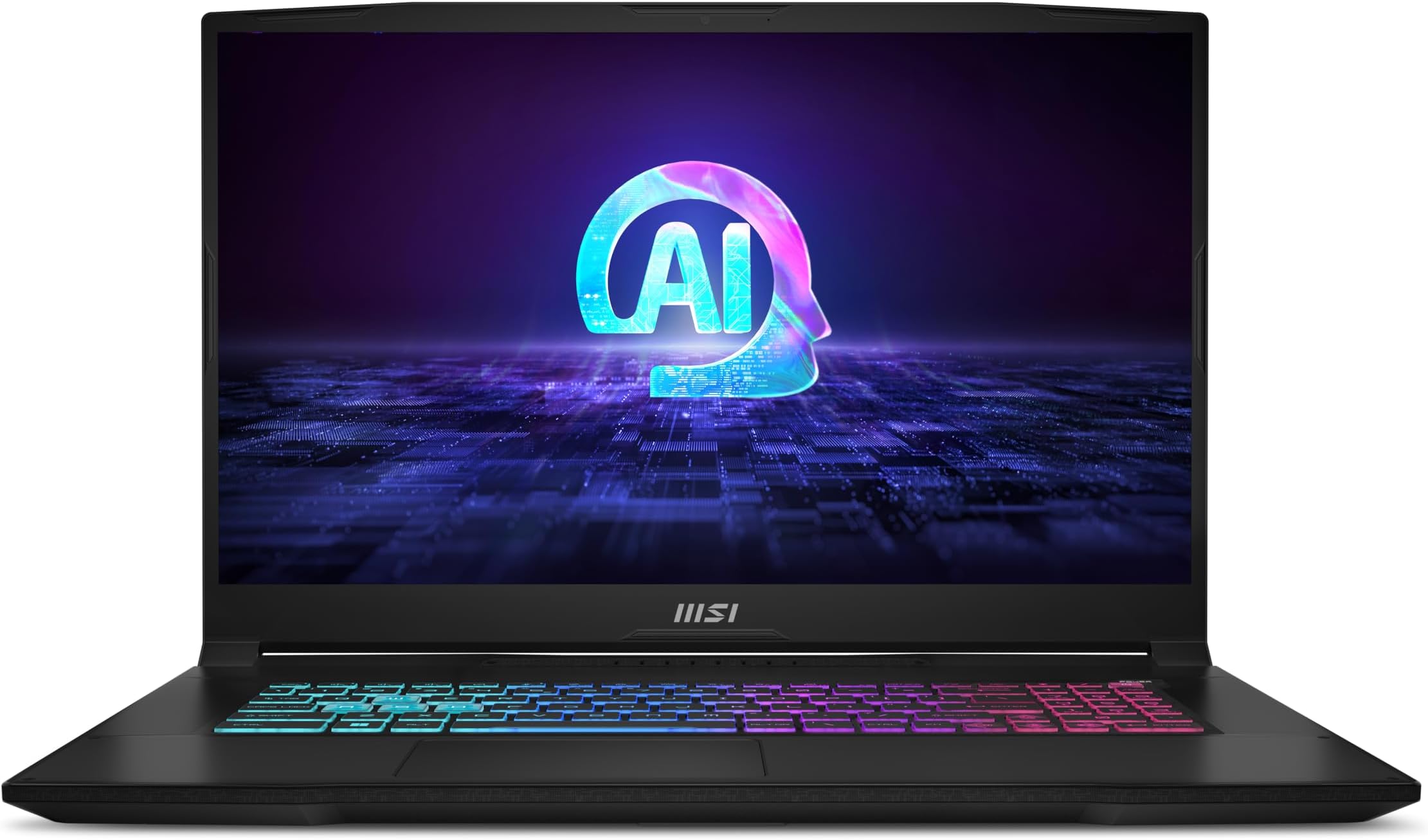
The MSI Katana A17 AI is a cutting-edge 17.3” gaming laptop featuring a blazing 4.0 GHz AMD Ryzen 9-8945HS CPU, NVIDIA GeForce RTX 4070 GPU with ray tracing, and a vibrant 240Hz QHD display. Equipped with 64GB DDR5 RAM and a massive 2TB NVMe SSD, it delivers ultra-fast performance and storage. Cooler Boost 5 ensures optimal thermal management, all running on Windows 11 Home for a sleek, professional experience.


| ASIN | B0CZPP4PJX |
| Audio Output Type | Headphones, Speakers |
| Audio features | Speaker, Microphone |
| Battery Cell Type | Lithium Polymer |
| Best Sellers Rank | #8,112 in Computers & Accessories ( See Top 100 in Computers & Accessories ) #1,005 in Traditional Laptop Computers |
| Biometric Security Feature | Face Recognition |
| Bluetooth Version | 5.3 |
| Brand | msi |
| Built-In Media | AC Adapter |
| CPU Model | Ryzen 9 |
| CPU Model Generation | Ryzen 8000 Series |
| CPU Model Number | Ryzen 9 8945HS |
| CPU Model Speed Maximum | 5.2 GHz |
| Color | Black |
| Compatible Devices | External displays, mice, keyboards, storage devices, printers, and other accessories |
| Connectivity Technology | Bluetooth, Ethernet, HDMI, USB, Wi-Fi |
| Customer Reviews | 4.4 out of 5 stars 104 Reviews |
| Display Resolution Maximum | 2560 x 1440 pixels |
| Display Technology | LED |
| Display Type | LED |
| Form Factor | Laptop |
| Graphics Card Ram | 8 GB |
| Graphics Coprocessor | NVIDIA GeForce RTX 4070 |
| Graphics Description | RTX 4070 |
| Graphics Ram Type | GDDR6 |
| Hard Disk Description | SSD |
| Hard Disk Size | 2 TB |
| Hard-Drive Size | 2 TB |
| Hardware Interface | Bluetooth 5, Ethernet, HDMI, Headphone |
| Human-Interface Input | Keyboard |
| Item Dimensions L x W x Thickness | 15.67"L x 1.11"W x 10.75"Th |
| Keyboard Description | Backlit |
| Lithium-Battery Energy Content | 52 watt-hours |
| Manufacturer | MSI |
| Memory Slots Available | 2 |
| Memory Speed | 5600 MHz |
| Microphone Form Factor | Built-in |
| Model Name | Katana A17 AI B8VG-879US |
| Model Number | KATANAA17B8879 |
| Model Year | 2024 |
| Native Resolution | 2560 x 1440 pixels |
| Number of Ethernet Ports | 1 |
| Number of Ports | 4 |
| Operating System | Windows 11 Home |
| Other Special Features of the Product | Backlit Keyboard, HD Audio |
| Processor Brand | AMD |
| Processor Count | 1 |
| Processor Series | Ryzen 9 |
| Processor Speed | 4 GHz |
| RAM Memory Installed | 64 GB |
| RAM Memory Slot Total Count | 2 |
| RAM Memory Technology | DDR5 |
| RAM Type | DDR5 RAM |
| Ram Memory Maximum Size | 64 GB |
| Resolution | 1440p |
| Screen Size | 17.3 inches |
| Specific Uses For Product | Entertainment, Gaming, Student |
| Supported Monitor Maximum Quantity | 3 |
| Total Number of HDMI Ports | 1 |
| Total Usb Ports | 4 |
| UPC | 824142367339 |
| Unit Count | 1 Count |
| Video Output | HDMI |
| Video Processor | NVIDIA |
| Warranty Description | 1 Year Manufacturer Limited |
| Warranty Type | Limited |
| Wi-Fi Generation | Wi-Fi 6E |
| Wireless Compability | 802.11ax, Bluetooth |
| Wireless Technology | Bluetooth, Wi-Fi |
J**G
Love it
So far a great laptop. It's lighter and more powerful than my old Acer Predator and generates half the heat. The keyboard function keys are weird to get used to but you get used to it. The sleep function...this laptop does not like sleeping. It randomly wakes up for no reason lol Gaming, this laptop does what I bought it to do, and does it well. Again, with less heat than my previous laptops. The ports are all stiff and solid, which you want. USBs dont wiggle at all and dont randomly fall out. The buttons feel great to press, soothing for my autism. The wifi adapter on here is really strong, way stronger than my old laptop. The 4070 and Ryzen 9 combo are fantastic for pretty and intense games like Helldivers. NOTE: if you have trouble with the built in crosshair (which is usefull tbh), then go to the settings for it and disable the option allowing you to move it with cursor. Works wonders so your game stops switching to desktop.
L**P
Strong Gaming Performance
I bought this to replace my old home-built gaming PC, which was starting to show its age after eight years of constant use and a couple of hardware upgrades. I'm very happy with the purchase overall. This laptop feels well-built (and is surprisingly heavy) and runs all of my games (mainly MMOs) at high-to-max graphic settings with around 90-100 fps. I was a little dismayed by how fast the battery drained after I unplugged it from the power adapter, but to be fair I was running two monitors and a fairly graphics-intense game with everything maxed. I have nothing bad to say. Well, the documentation was pretty sparse; for example, the programmable backlighted keys are controlled by software and it took me a frustrating ten minutes to figure that out for myself. Maybe that's something I should have just known. This was offered at a good price with a couple of nice upgrades (64 Gigs RAM and a 2TB SSD) for around $300 less than other machines I was looking at with the same specs.
S**M
Slices the competition
Love this laptop! Never had any issues with overheating, use it almost everyday. Was getting solid frames even in modern games like the BF6 demo. Like any gaming laptop you are going to have to keep it plugged in or it will brain battery pretty fast, but can last a quick gaming session in a pinch. The 240hz display looks awesome. I have had several MSI laptops over the years and they are always great!
D**E
Love this, probably not for the unsavvy
I bought this laptop after reading the negative reviews and also the reviews explaining how to fix most of the issues. So before I even turned this laptop on, I had all the updates ready to install and saved on an external SSD. First thing I did was update the BIOS and all the hardware drivers. I let Windows install all its updates as well. Then I went to work uninstalling all the bloatware, and let me tell you, there was SO MUCH. Most of it was actually Microsoft’s doing (who TF needs a million different language versions of your trial Office products??). Everything was smooth sailing until I tried to game. That’s when I realized that something was wrong—the graphics were horrible. It wound up being that the onboard graphics card was overriding the Nvidia card. I had to not only disable it in device manager, but uninstall the software. That made the Nvidia card recognizable by all my apps and games. Now my games look fab and I adore this device. I have it on most of the day, every day, and have yet to encounter any issues.
A**V
Why I have missing parts ??
I bought this laptop 8 month ago and first problem I run into when I just unpacked it. I push the power button the screen show me MSI dragon logo and nothing more 😆(laptop battery was full charged) okay this problem easily solved by update BIOS. And what are people doing when they unpacked brand new gaming laptop ?? Right I download my favorite game and start it with ultra high resolution. My laptop works lesser then minute and just switch off. I start it again and repeat, same pattern happens again and again. After 15 minutes of research I noticed then my laptop just overheated and system just shut down computer for protection. I start Google it and find a lot of reviews about gaming laptops and overheating, most of them tell me it is normal, because laptop is small and difficult to cool it fast. Next months I just use it and some times it happens again, but last month my laptop shut down twice per day even I didn’t use it “hard” and I done deeper research. A lot of people suggest changing thermo paste, cause manufacturers just saving money and use cheaper products. Before I made a decision opening my laptop a think a lot because I still have warranty and don’t wanna lose it. But my laptop going overheat each day more and more. I want to say, before u opened it seal was good. I don’t know it is manufactured seal or somebody fake it but it was on the place. When I opens back panel I was shocked 4 screws from CPU cooling system was missing. I removed cooling system and what I see was terrible. GPU and CPU dont cover of thermopaste. I cover it with paste and put it back together with 4 more screws which were absent. I run my laptop with high resolution games now and temperature stay good all time no more protection shutdown. I want to say to sellers and manufacturers how are doing guys ?? The product work perfect if it have all parts inside, but why I received laptop with 4 lost screws and no any trace of thermopaste covered my processor units???? Now after 8 month of using device I can start have 100% quality. Device is good with correct assembled cooling system but I give 1 star for all the problem what I have.
L**B
Battery is not the best
Performance is fantastic. Battery Life is surprisingly low. I expect it would not be the best, but this thing just being at the home screen with base installed programs running needs to be charged after about 45 minutes. I just ran a stream on it to see how long it lasts with one browser open, and it was about 36 minutes.
J**C
It’s great.
The A.I. in this laptop is top-tier. I’ve had full-length conversations with Microsoft’s Copilot, which is one of this thing’s greatest features. Really, you can talk to it about anything, and it will maintain the conversation for as long as you can…. and I mean real, quality conversations. We’ve debated the differences between human and artificial intelligence, delved deep into calculus, and we even discussed love… IN SPANISH. It’s wild. Besides that, the 4070 gpu is killer and when you overclock, you can play most games at 60fps max graphics with ultra performance anti-aliasing enabled (although admittedly I did spend a good chunk of time fine tuning the overclock parameters). The screen is QHD so it isn’t out-of-this-world amazing, but it IS really good. Fans are loud: typical for a gaming laptop. Use headphones if it bothers you. But the fans are extremely efficient, you’ll never worry about heating issues (I still prop my laptop up off the table a little, for slightly better airflow). 2 TB SSD so you can go nuts. MSI’s AI Engine (that you can enable through MSI’s control panel) is powerful, though you DO have to “train” it. Turn it on and just do whatever you do; play games, fiddle with display resolution, program some stuff, edit a video: it will learn all your habits, and over time will essentially optimize EVERYTHING. Overall, great buy.
J**A
Gamer must buy!!!
Needed a new laptop since my MacBook was retiring. Absolutely in love with this. It runs my sims so well! No regrets here.
Trustpilot
2 months ago
3 weeks ago