Buy anything from 5,000+ international stores. One checkout price. No surprise fees. Join 2M+ shoppers on Desertcart.
Desertcart purchases this item on your behalf and handles shipping, customs, and support to British Virgin Islands.
🚀 Upgrade your workflow with speed and space that keeps you ahead of the curve!
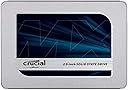
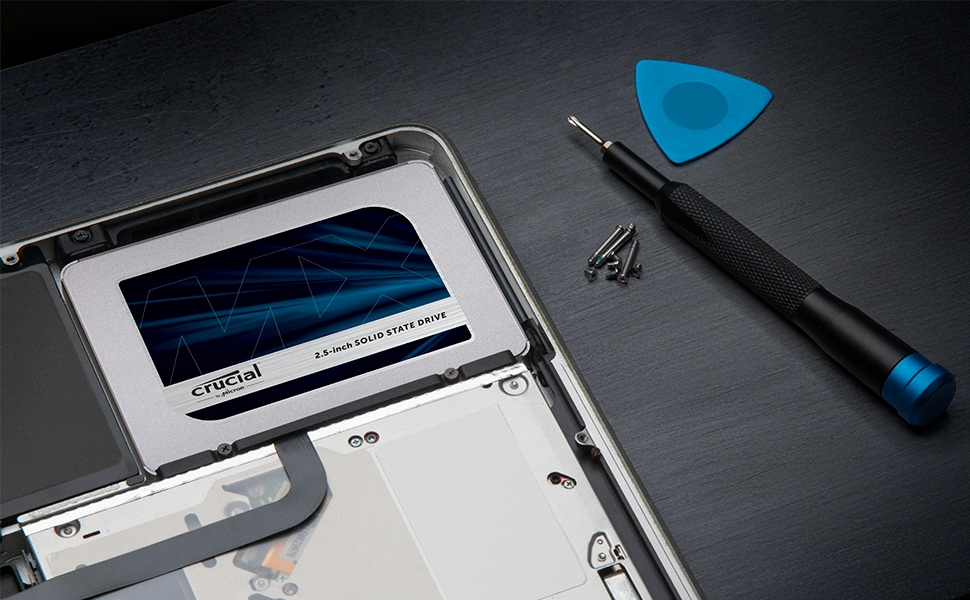
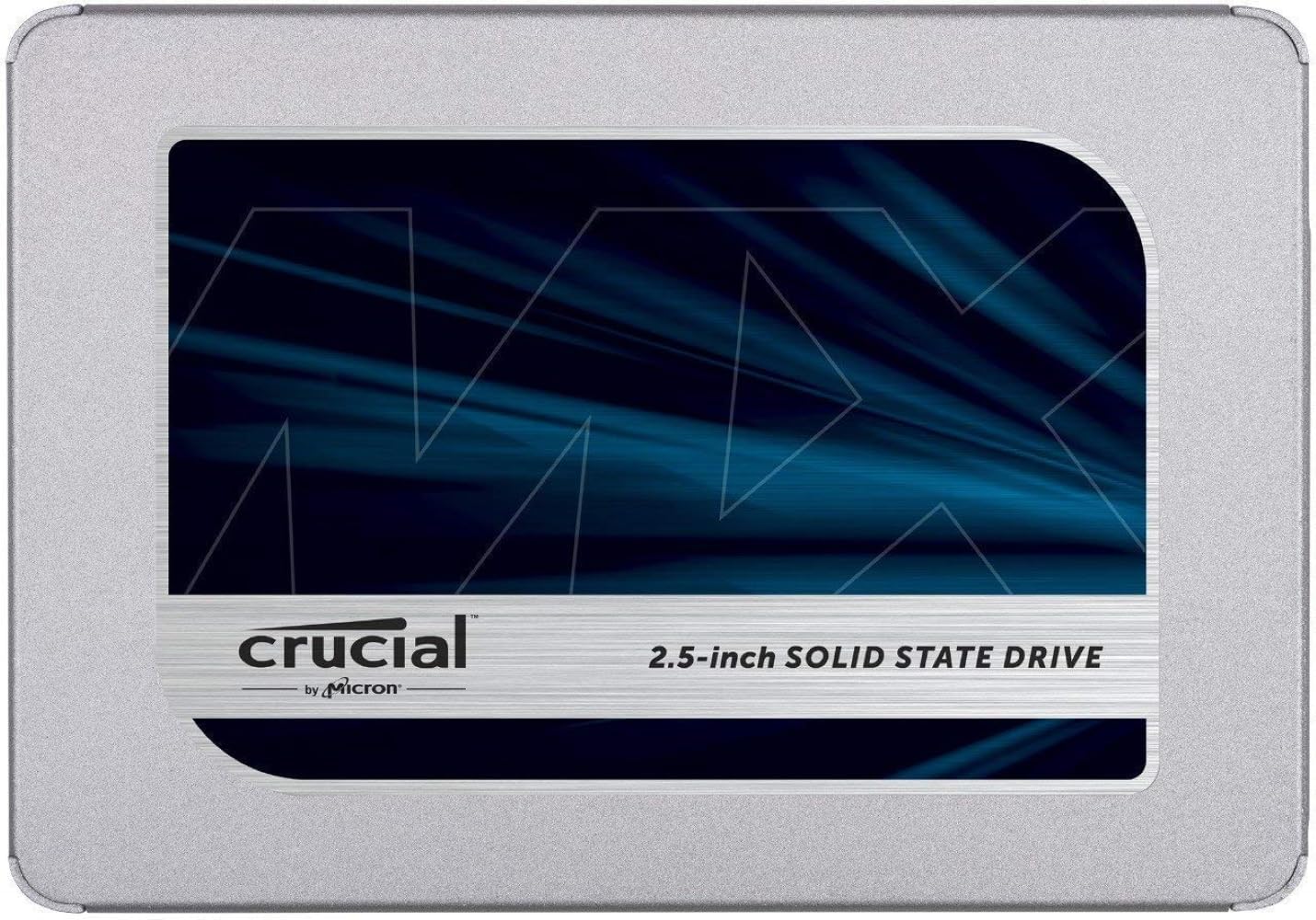
The Crucial MX500 2TB 3D NAND SATA 2.5-inch Internal SSD delivers up to 560MB/s read speeds and 2TB of reliable storage in a compact form factor. Designed for desktops and laptops with SATA interfaces, it combines high capacity, fast data transfer, and a 5-year limited warranty. Ideal for professionals seeking a hassle-free upgrade to boost system responsiveness and store large files securely.


| ASIN | B003J5JB12 |
| Additional Features | Data Recovery Service |
| Best Sellers Rank | #80 in Internal Solid State Drives |
| Brand | Crucial |
| Built-In Media | Internal Solid State Drive |
| Color | Blue/Gray |
| Compatible Devices | This drive is compatible with desktops and laptops that accept 2.5" 7mm SATA drives |
| Connectivity Technology | SATA |
| Customer Package Type | Standard Packaging |
| Customer Reviews | 4.8 out of 5 stars 110,398 Reviews |
| Data Transfer Rate | 6 Gigabits Per Second |
| Digital Storage Capacity | 2 TB |
| Enclosure Material | Information Not Available |
| Form Factor | 2.5-inch |
| Hard Disk Description | SATA |
| Hard Disk Interface | Solid State |
| Hard Disk Rotational Speed | 1.00 |
| Hard-Drive Size | 2000 GB |
| Hardware Connectivity | SATA 6.0 Gb/s |
| Hardware Platform | PC; Mac, Linux |
| Installation Type | Internal Hard Drive |
| Item Dimensions L x W x Thickness | 4.06"L x 2.76"W x 0.28"Th |
| Item Type Name | Crucial MX500 2TB SATA 2.5 Inch Internal Solid State Drive - CT2000MX500SSD1 |
| Item Weight | 40 Grams |
| Manufacturer | Crucial |
| Media Speed | 510 Megabytes Per Second |
| Mfr Part Number | CT2000MX500SSD1 |
| Model Name | Crucial MX500 SSD |
| Model Number | CT2000MX500SSD1 |
| Number of Items | 1 |
| Read Speed | 560 Megabytes Per Second |
| Special Feature | Data Recovery Service |
| Specific Uses For Product | personal, gaming, business |
| UPC | 649528785077 |
| Warranty Description | Limited 5-year warranty |
L**R
Crucial MX500 1TB - Worked well and is Faster than my older Intel 180 SSD
I have always (25 years) bought Crucial memory and storage devices for my PC's and to upgrade for friends. They make very good and reliable products. I would pay a bit extra to get this name-brand, tested, quality product. The drive installed in the bundled bracket easily and the process went well (for an experienced PC person). I needed to change the BIOS settings to get the drive recognized (Legacy Order of Boot). I tried to install the Acronis Disk Clone program, but it would not run/install due to this error. It had an error of "Already at Latest Level" and would not continue to load. Windows did recognize the drive in Disk Manager, and it was ready to be used. I was lucky to have Acronis 2016 that I could install and use easily. It installed this drive with Acronis, and it picked MBR as a Format type. I did want to try GPT, but my PC (HP Z420) might not be capable. The Cloning went quickly and worked great. I also used the Crucial Storage Executive and turned on the two features to increase speed (does take about 70 to 100GB). Drive worked fine and Windows seemed to accept the Clone. Looking online there are a number of people who had trouble with the Crucial Acronis Software, this seems to be a problem. This was not an easy swap and it took several hours due to the problems. After install (clone) I started getting a CHKDSK being run automatically. It would freeze up at 100% and not continue until a reboot. I started over from scratch. Fresh format, Windows 10 OS, updates, loaded back all my programs and now everything works great and fast. Still giving this a 5-Star rating given the performance and overall process. Cloning next to never works without some kind of trouble.
S**L
solidly reliable and high capacity SSD drive
I bought three of these Crucial MX500 4TB 3D NAND SATA 2.5 Inch Internal SSD drives to install in a recently acquired HP Core i7 desktop. My goal is to eventually phase out a full tower PC that I built in 2012. It handles my video and audio servers and has a solid state boot drive, along with 7 spinning hard drives for data. This HP has a considerably smaller case and my goal was to fill it with high capacity SSD drives. I've always been a fan of the Crucial line of SSD drives, and I've never had one go bad. All three of these Crucial 4 tb drives were installed to SATA headers on the motherboard, and I was able to fit all of them in what is a one foot tall mini desktop tower. Installing these drives is very easy, plug in a sata cable plus a power cable to each, and they're good to go. I used 3m two sided tape, the kind used to hang pictures, to stick the drives to flat surfaces inside the case. They are very light and compact, I just made sure to keep some air around each drive and not bunch them together. Once they were installed, I closed up the case and turned on the computer. I opened disk manager and partitioned and formatted each of the new drives. They will be used as data drives. The computer came with a 1TB M.2 as the boot drive, so the total solid state drive capacity for the computer is 13 TB. I spent some time copying my audio database of over one thousand CD's ripped into lossless format files, as well as my video database of movies and music videos. My 2012 build full tower with it's spinning hard drives holding the data, worked well for many years. This new one with all ssd drives, works much better. Each audio or video file loads noticeably faster than on the old server, plus there are no spinning hard drives making noise. I downloaded the "Crucial Storage Executive" software from the Crucial website that is very helpful. It checks the firmware revision you have and updates it if needed. All three of mine came with the "45' version of the firmware. I had it update to the latest "46" version which took less than 30 seconds. The photo with this review shows my new media server loaded with 13 tb of solid state drive capacity, including three of the Crucial SATA ssd's. They are fast, cool running and should have a very long life.
K**8
Money well spent. Revived a completely unusable notebook.
My daughters Dell G3 notebook was getting really slow, especially after upgrading to Windows 11. It got to the point that she didn’t even want to use it anymore because the hard drive would just grind away for an hour or so after boot up. Decided it was time to replace the drive with an SSD. Some of the brands I was considering were WD, Samsung and Crucial. I had never used Crucial before, but reviews seemed to be good for the MX series, which is supposed to be a step up from the BX. At the time of purchase, the Crucial MX500 was cheaper than the similar competitor drives and was faster than about half of them with up to a 560MB/s transfer rate, so I went with it. No, problems with the installation of the drive. All screw holes match the existing configuration as well as all connectors for power and data. Formatting and reimage also went without a hitch. After running all updates, my daughter’s computer is running great. Very fast bootup, program startups and browser loads. This made her very happy and like her computer again. I’m glad everything went smoothly and for not even close to $100 was able to put off buying a new notebook for her. Just to be clear on usage and expectations, my daughter does play games on it, but they are not as hardware intensive as some of the popular titles out there and she mainly uses it for MS Office, surfing the web and streaming. Under those conditions, the Crucial MX500 has been performing admirably. I can’t say how it would do under tougher conditions with constant, rapid data exchange and higher temperatures caused by nearby components. We’ll have to see how this drive performs long term but, so far, I am impressed considering I have never used this brand before. I recommend this drive to anyone looking to upgrade to an SSD. I will update this review if anything wrong pops up, but if you don’t see any updates, then it’s still running strong.
A**R
It's a pretty good drive.
Would I recommend this SSD? Yes, I've had it for a little over a month now and I've had no issues. (I bought the 500 GB version and am only talking about the 500 GB version) I would recommend you also check if you want a different similarly priced SSD. (This entire review is talking about the 500 GB versions of each drive as of January 2021) For example: The ADATA SU760 $52.99 https://www.amazon.com/gp/product/B07TDW86SQ/ref=ox_sc_saved_title_5?smid=A2UXO5LPTDY3LN&psc=1 (I included a picture of the performance of my brother's drive that he has been using for many months now) The ADATA SU800 $54.99 https://www.amazon.com/gp/product/B01K8A29CS/ref=ox_sc_saved_title_5?smid=A2UXO5LPTDY3LN&psc=1 (I don't know anyone who has one, so I can't say how good it is from experience, but the overall star rating is pretty good) The Samsung 860 EVO $54.99 https://www.amazon.com/dp/B0781Z7Y3S/ref=cm_sw_em_r_mt_dp_voubGb4T4G14K?_encoding=UTF8&psc=1 (It's a Samsung drive so it will usually be high quality but it's not always in stock) *If the links don't work I'm not fixing them, just search the name of the drive. Why I bought it (please skip if you do not care): I have a laptop that had a hard drive. The hard drive would blue screen like once a month for a few months before it decided to completely brick itself. It would blue screen about 1 minute after booting. It would still let me boot into safe mode without blue screening but I couldn't use wifi so there was no point. I could no longer write to the drive. I have a HP laptop and since they come with HP hardware diagnostic tools, I was able to determine that the problem was the drive and not something else. I bought this drive just because it was the first one I saw that would arrive the next day. My laptop broke on Friday and I was able to get it working before school on Monday. Instillation (Drive and Windows): Installing the drive was very easy for me because I have a good amount of computer knowledge. This drive and my old hard drive are exactly the same size so all I had to do was remove my old drive. Then I took the vibration cover off the hard drive, this cover also held the drive in place. I put the cover on my SSD and slid it into the drive area. It fit tightly in there just like my old hard drive. After that, I turned on my computer and went to the bios to make sure it would boot off of a usb. I plugged in my window install usb and the computer was able to boot into the windows install manager. I was able to painlessly install and boot into windows 10. My old windows used secure boot but the new windows used legacy boot so I did have to change that in to bios to be able to boot. Since I have an HP laptop my virtual windows license automatically transferred to the fresh install of windows. Performance: I have uploaded 2 pictures of this drive's performance. The performance is as advertised and the differences could be do to a lot of different things. In day to day tasks it is a lot faster and smoother then my old hard drive with 16 gb of optane. Windows boot time is significantly faster. Downloading, transferring, and unzipping files is a lot faster. Being able to use my computer while windows is updating in the background is also nice. For gaming, don't expect a significant improvement in most games. Maybe your load times will be a bit faster but most games just don't really rely on your drive. Overall: This drive has not given me any issues over the month that I have owned it. I highly recommend buying it.
U**K
Great value and quality!
I've run this drive in my Thinkpad T560 for over a year, installation was easy and it has worked perfectly. Great boot times, quick file transfers, and has had no issues so far. Great value for such a high quality drive.
A**R
It's great, but five stars is too generous for the slight hiccups I encountered during installation
Let me start by saying that the storage capacity of the Crucial MX500 4TB 3D NAND SATA 2.5 Inch Internal SSD is simply outstanding, especially when you consider the price. With a whopping 3.73 TB of actual usable space, you won’t have to worry about running out of storage anytime soon. Now, let’s talk about its performance in gaming. Once you manage to get this SSD to function correctly, it is truly superb for gaming. The speed and responsiveness it offers are top-notch, ensuring smooth gameplay and quick loading times. It definitely enhances the overall gaming experience. However, I must address the one issue I consistently experienced with this SSD - the disk drive would inexplicably "disappear." This was quite frustrating, as it would vanish from my File Explorer device and drive menu. After some investigation, I discovered that the drive would automatically turn itself off when not in use, causing it to not show up on my Windows 11 OS. Fortunately, this problem was easily resolved with a simple power plan tweak. Once I adjusted the power settings, the drive stayed visible and accessible at all times. While it’s a minor inconvenience, it’s important to note that this issue can be resolved without too much hassle. In conclusion, the Crucial MX500 4TB SSD offers an exceptional storage capacity at an affordable price. Its performance in gaming is superb once you overcome the initial hiccup of the drive disappearing from your Windows OS. With a quick power plan tweak, you can enjoy seamless and reliable storage for all your gaming needs. Do not let the minor setback deter you from discovering the immense advantages that this SSD brings.
O**J
Works great and no issues with it for my build
I will go into in-depth detail on any item since other popular reviews have given excellent information, so in quick summary: My Build (all components work flawlessly): 1. Zalman ATX Mid Tower Case R1 (Nice looking case, provides room for everything, adequate cooling and allows good cable management). 2. ASUS ROG STRIX Z370-H GAMING LGA1151 DDR4 HDMI DVI M.2 Z370 ATX Motherboard with Gigabit LAN and USB 3.1 for 8th Generation Intel Core Processors (Great expandability and room for future upgrades, enough USB ports for most applications). 3. EVGA GeForce GTX 1070 Ti GAMING, 8GB GDDR5, EVGA OCX Scanner OC, White LED, DX12OSD Support (PXOC) Graphics Card 08G-P4-5670-KR (Great balance of price and performance). 4. Intel Core i7-8700 Desktop Processor 6 Cores up to 4.6GHz Turbo LGA1151 300 Series 65W BX80684i78700 (Came with a thermal solution (fan) but I used the Cooler Master - see below). 5. 2 of Crucial MX500 500GB 3D NAND SATA 2.5 Inch Internal SSD - CT500MX500SSD1(Z) (Man this is fast, Win10 boots in about 5/6 secs. and programs open fast as well). 6. Crucial MX500 500GB 3D NAND SATA M.2 Type 2280SS Internal SSD - CT500MX500SSD4 7. CORSAIR TX Series TX850M 850W 80+ Gold Modular Power Supply (Adequate power supply for into the future and has ample connectors). 8. Corsair LPX 32GB DRAM 3000MHz C15 Memory Kit for DDR4 Systems (Adequate for my application for work and gaming) 9. Cooler Master Hyper RR-212E-20PK-R2 LED CPU Cooler with PWM Fan, Four Direct Contact Heat Pipes (Instructions are poor, system builders with experience will have no problem, first timers will eventually figure it out. Comes with all you need including thermal paste). 10. ASUS MX239H 23-Inch, Full HD 1920x1080 IPS, Audio by Bang & Olufsen ICEpower HDMI VGA Frameless Monitor (Really nice monitor for the price though those heavy gamers will want something far superior. Built in Audio is good enough for You Tube and regular use, but I personally find its not so good for Netflix, look at some decent speakers based on your needs). 11. Sabrent 74-In-1 3.5" Internal Flash Media Card Reader/writer with USB Port , Black (CR-USNT) (For the cost and convince you can’t go wrong). 12. Asus DRW-24B1ST-KIT 24x Internal DVD Burner + Nero 12 Essentials Burning Software + Sata Cable Kit (Obsolete in some ways but good to have at times as some persons still give work items on CD). 13. Backlit Gaming Mouse, Gaming Keyboard, Large Gaming Mouse Pad, PC Computer Gaming Headset with Microphone Combo, S101-BA Redragon RGB LED Backlit 104 Key Gaming Keyboard with Wrist Rest (No issues at all, good feel and responsiveness and mouse drivers are available on the website. The headset sounds good).
T**S
Fast, reliable, inexpensive drive!
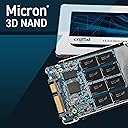
I recently bought the Crucial MX500 250GB 3D NAND SATA 2.5 Inch Internal SSD, up to 560MB/s - CT250MX500SSD1 for a client, and I'm very impressed with it. It's a fast, reliable, and affordable SSD that is perfect for everyday computing. The SSD is 250GB, which is enough space for my client's operating system, applications, and some of their favorite games. It's also 3D NAND, which means it's much faster than traditional SSDs. I installed the SSD myself, and it was very easy to do. The SSD comes with a mounting bracket and all the necessary cables. The SSD has been working great since I installed it. My client's computer boots up much faster, and applications launch much quicker. They're very happy with the performance of the SSD. Overall, I'm very happy with the Crucial MX500 250GB 3D NAND SATA 2.5 Inch Internal SSD. It's a great value for the price, and I would definitely recommend it to anyone looking for an affordable and reliable SSD." Here are some of the specific things that I liked about the SSD: Fast speed: The SSD is 3D NAND, which means it is much faster than traditional SSDs. I noticed a significant improvement in the boot time and loading times of applications after installing the SSD. Easy to install: The SSD was very easy to install. The instructions were clear and concise, and all the necessary hardware was included. Stable and reliable: The SSD has been working great since I installed it. I haven't had any problems with it at all. Long lifespan: The SSD has a lifespan of up to 1.8 million hours, which means it should last for many years. Overall, I think the Crucial MX500 250GB 3D NAND SATA 2.5 Inch Internal SSD is a great value for the price. It is well-made, it works well, and it is a good option for anyone looking for an affordable and reliable SSD.
K**E
What a difference a SSD makes!
I just installed the 1 TB version of this SSD on my Macbook Pro 15" Mid 2012 (not Retina) running Mojave and it installed easily and quickly. And, wow! What difference in performance! My MBP flies now. As someone else mentioned, I'd upgraded my RAM to 16 GB without much of a visible difference in performance. I'd installed a 500GB WD Sata drive running 7200rpm, but that didn't help that much either. This Crucial SSD does! It now boots up in seconds, and all of the software loads and runs so much more quickly and efficiently, as do folders opening and everything else on the computer. Wish I'd done this earlier. It really is night and day, performance wise. This Mac actually boots up and runs faster than my friend's Macbook Pro 15" 2012 Retina with a faster architecture and Apple's built-in SSD. This really is a required upgrade for any Mac computer or laptop 2012 and earlier to give it new life. I initially installed the SSD into a Sata 2.5" external drive case (it fit perfectly) then connected it my computer, erasing it using Disk Utility as an APFS drive (APFS drive formatting is required for any Mac OS Mojave and newer). I already had a USB installer for Mojave, so I rebooted from that instead of using Recovery -- which will work just as well -- I'm just a purist when I can when it comes to tech, lol. I installed OS 10.14 (operating system) onto the Crucial SSD, then rebooted into the external SSD drive when everything was done (hold down the Option key when restarting and choose your startup drive). I ran all of the udates that way, then powered down and switched the drives out (SSD to internal, Sata drive to the external case so I could migrate my data onto the new SSD and be done). I wanted to make sure everything would run properly before installing the SSD internally -- though it's easy enough to install -- completely plug n play. Also in order to find the firmware version of the SSD, it has to be installed internally -- if I had to run a firmware update, I wanted to do it before transferring all of my data over -- just in case. Booted up again with the SSD internally, then opened Migration Assistant (in the Utilities Folder) and let it transfer my profile and data over. Then rebooted one last time and watched the magic happen, lol. Note: The first boot will be longer as the Finder figures out where everything is, but after that... literally seconds to a login screen. Someone was worrying about the firmware version, which can affect installation of either an Mac or a Windows OS, and the firmware of this one was sent with what looks to be the latest version (Revision: M3CR045), later than what was available on Crucial's website for this drive. I was concerned when I found out about the lifespan of these SSDs (usually around five years), but then I figured that $20/year for what I've paid for this drive is more than worth it. I'll just make a note five years from now to make more constant backups, lol. So, go forth with confidence, and make your older computers the bang of the ball.
C**O
El mejor SSD para 🖥️ imac
Lo instalé en una imac 27” retina 5k 2019 Jala increíble! Parece una nueva imac y con 64 RAM de la misma marca da una compatibilidad inigualable y excelente velocidad! 100% recomendable. Actualización 8 meses de uso: Muy contento con el SSD funciona a la perfección, gran capacidad y excelente velocidad, no dudes en comprarlo si es para mac no encontrarás mejor SSD ya que es la marca que apple usa en sus productos originales.
ف**د
من افضل المنتجات
ممتاز جدا للالعاب عن واقع تجربه سرعه افضل واسرع من الهارد الديناميكي بالنسبه للالعاب انصح فيه لان الهارد العادي بطئ جدا
B**T
Excellent Product
I had an old Dell laptop XPs15Z, which had HDD with bad sectors over the years. The laptop was deadslow and programs will never load. My nephew suggested to change to SSD and upgrade RAM to 16GB, which I purchased and this Crucial SDD gave me 100% relief from my trouble. Now improved from 8GB to 16GB with my new Crucial SSD, my laptop is superfast now. I am really satisfied and will recommend this to every one who do not want to buy a new laptop spending heavy
B**L
Betrouwbare en razendsnelle upgrade – de Crucial MX500 is een winnaar!
De Crucial MX500 500GB 3D NAND SATA SSD heeft mijn computer een enorme boost gegeven, en het is zonder twijfel een van de beste upgrades die ik heb gedaan. Vanaf het moment dat ik hem installeerde, merkte ik direct een flinke verbetering in snelheid en algehele prestaties. De lees- en schrijfsnelheden van deze SSD zijn indrukwekkend. Dankzij de SATA III-interface en 3D NAND-technologie start mijn besturingssysteem nu binnen enkele seconden op, en ook zware applicaties en bestanden laden veel sneller dan op mijn oude harde schijf. Het verschil is vooral merkbaar bij het multitasken en bij het openen van grotere bestanden zoals video's en grafische projecten. Voor dagelijks gebruik, zoals surfen op het internet, tekstverwerking of het afspelen van media, is de snelheid van de MX500 perfect en voelt alles soepel en responsief aan. Wat de betrouwbaarheid betreft, stelt de MX500 zeker niet teleur. Crucial staat bekend om zijn hoogwaardige producten, en met de ingebouwde integriteitscontroles en databeschermingsfuncties biedt deze SSD gemoedsrust. De AES 256-bit hardware-encryptie is een geweldige toevoeging voor extra veiligheid, vooral voor wie belangrijke of gevoelige gegevens op de schijf bewaart. De installatie was ook bijzonder eenvoudig. De MX500 is een 2,5-inch schijf, dus het past in de meeste laptops en desktops zonder problemen. Met de handige kloningssoftware van Crucial kon ik eenvoudig mijn oude harde schijf overzetten naar de SSD, waardoor ik direct kon doorgaan met werken zonder een volledige herinstallatie van mijn besturingssysteem. Dit maakt het een uitstekende keuze voor zowel beginners als ervaren gebruikers die hun systeem willen upgraden. Met 500GB opslagruimte biedt de MX500 voldoende capaciteit voor een gemiddelde gebruiker. Het is een geweldige keuze voor wie zijn besturingssysteem en belangrijkste programma's wil opslaan, samen met veel ruimte voor persoonlijke bestanden zoals foto's, video's en documenten. Pluspunten: Razendsnelle lees- en schrijfsnelheden Betrouwbare 3D NAND-technologie met AES 256-bit encryptie Eenvoudige installatie en kloningssoftware Goede prijs-kwaliteitverhouding voor 500GB opslagcapaciteit Stabiele prestaties, zelfs bij intensief gebruik Kortom, de Crucial MX500 is een perfecte keuze voor iedereen die zijn laptop of desktop een flinke prestatieboost wil geven. Met zijn uitstekende snelheid, betrouwbaarheid en gebruiksgemak is dit een SSD die echt waar voor zijn geld biedt. Een aanrader voor wie serieus aan de slag wil met het upgraden van zijn systeem!
Trustpilot
4 days ago
3 weeks ago