


Desertcart purchases this item on your behalf and handles shipping, customs, and support to British Virgin Islands.
โก Power up your battery game with smart, splash-proof control!
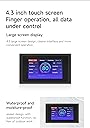
The DALY 4.3 Inch Touch Screen Display with UART Port Smart BMS offers a large, clear touchscreen interface combined with waterproof durability and intelligent battery management. Supporting UART and RS485 communication modes, it ensures versatile connectivity while preventing damage from incorrect wiring. Designed for professional use, it delivers reliable, standalone control in a compact, rugged package.
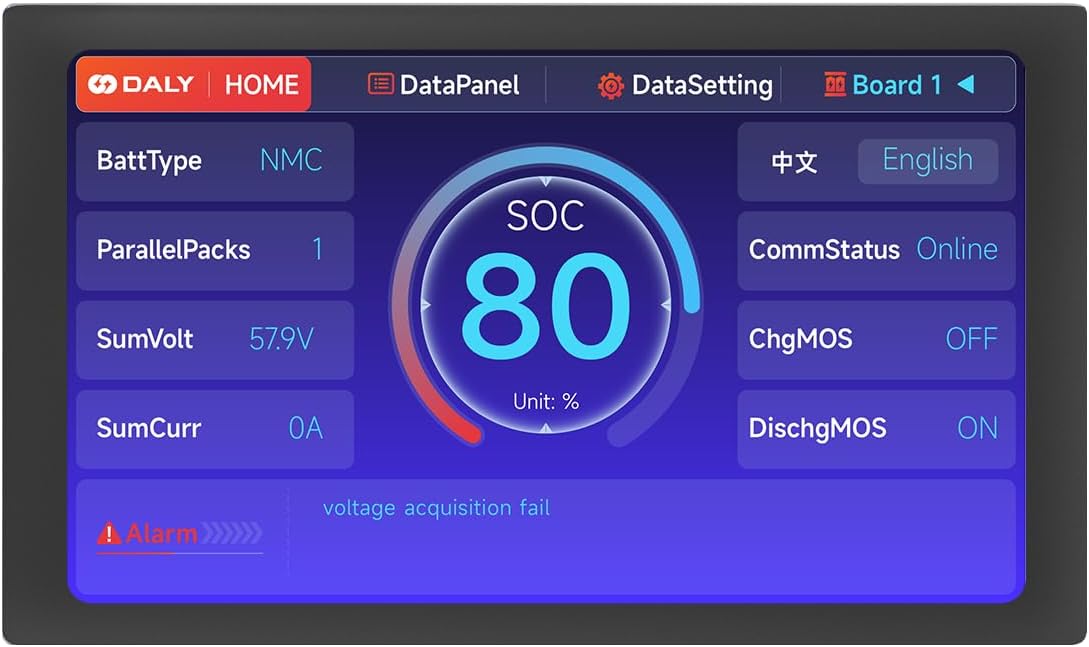



| ASIN | B0C2QD92VX |
| Best Sellers Rank | #221,537 in Industrial & Scientific ( See Top 100 in Industrial & Scientific ) #101 in LCD Touch Panels |
| Brand | DALY |
| Customer Reviews | 4.0 4.0 out of 5 stars (17) |
| Date First Available | April 17, 2023 |
| Item Weight | 7 ounces |
| Item model number | 1-507-67368 |
| Manufacturer | Dongguan Daly Electronics Co., Ltd |
| Manufacturer Part Number | 1-507-59956 |
| Model | 4.3 Inch Touch Screen |
| OEM Part Number | 4.3 Inch Touch Screen |
| Product Dimensions | 5.5 x 3.8 x 0.87 inches |
M**.
Works Great
Works Great. Good resolution
L**Z
Complacido
Estoy sumamente complacido con la informaciรณn que ofrece este equipo
R**5
Excellent for use in troubleshooting BMS but needs at least one page if instructions
I have 2 other DIY batteries using Daly BMSs with Bluetooth to the application for changing values. My most recent build of another DIY battery with a Daly BMS wonโt connect Bluetooth to the application. The screen was purchased for troubleshooting. Unfortunately, there is no information on how to enter parameters and many of them have 2 entry fields stacked vertically and a single Set button. I was trying to change the preset CellVHigh value from the preset 3.75V value to 3.65V. The CellVLow value was changed instead, due to no directions, and the screen would no longer display. This was the case even after unplugging the screen and plugging back in multiple times over 2 days of frustration. After wasting time trying to research the problem and not find any information, I accidentally found a fix. If you remove the balance cable connection and then plug it back in, the screen will display for about 10 seconds before going permanently black again. During those 10 seconds, you need to correct your CellVLow value which then allows the screen to display normally. PLEASE at least add a pdf link to the Amazon product information screen explaining how to change values. This would have been a 5 star review if there were any instructions.
A**D
Works close tonas it should
Works for one BMS. Has an option to select which bms it doesn't seems to do anything. I have 4 batteries and 4 bms hooked in parallel would have been nice to be able to monitor all 4 the same as I would with the Bluetooth modules. Right now I'm using this on one bank and using thr Bluetooth modules for thr other 3. Not the best solution but it works.
H**.
it is a display
Does wat it hs to do and it works fine.
R**E
Useful
Works as advertised.
J**R
Very nice display controller
Nice product goes well with my Daly smart BMS and Bluetooth module for the 48v lifepo4 battery build for my solar energy storage.
Trustpilot
1 month ago
2 weeks ago