![CUH350D USB 3.0 to DVI,VGA,HDMI Adaptor for Multiple Monitors - DisplayLink DL-3500 Chipset (supports up to 2048 X 1152)*1080p Full HD ready * External Videocard * Multi Display Adapter/splitter/converter ** Includes DVI to HDMI adaptor and DVI to VGA adaptor, supports Windows 7/Windows 8.1/Windows 10/11 and Mac macOS Ventura 13, Monterey 12, Big Sur 11 [ NO FOR Surface RT and Linux/Unix ]](https://m.media-amazon.com/images/I/51hZ-OOIJ2L._AC_SL3840_.jpg)



🚀 Elevate your workspace — multiple screens, zero hassle!
The ClimaxDigital CUH350D USB 3.0 to DVI/VGA/HDMI adapter leverages the award-winning DisplayLink DL-3500 chipset to effortlessly add up to six high-resolution monitors (up to 2048x1152) via USB. Compatible with Windows 7 through 11 and macOS Ventura, Monterey, and Big Sur, it offers plug-and-play convenience with included adapters for versatile display connections. Ideal for professionals seeking to expand their digital workspace without investing in additional graphics hardware.
| ASIN | B004E7B8D8 |
| Best Sellers Rank | 143,427 in Computers & Accessories ( See Top 100 in Computers & Accessories ) 483 in DVI to HDMI Adapters |
| Brand | ClimaxDigital |
| Brand Name | ClimaxDigital |
| Colour | BLACK |
| Compatible Devices | Monitor, PC |
| Compatible devices | Monitor, PC |
| Connector Type | HDMI, usb |
| Connector type | HDMI , usb |
| Customer Reviews | 4.2 out of 5 stars 146 Reviews |
| Finish type | Matte |
| Item Weight | 0.34 Kilograms |
| Manufacturer | ClimaxDigital |
| Manufacturer Part Number | CUH350D |
| Model Number | CUH350D |
| Number of Ports | 2 |
| Package Quantity | 1 |
| Power Plug Type | No Plug |
| Product Finish Type | Matte |
| Specific Uses For Product | Monitor |
| Specific uses for product | Monitor |
| Unit Count | 1.0 count |
| Warranty Type | Limited |
S**)
Excellent value to add an extra monitor, works with Mac OSX
Like many Mac users, I was looking for an economical solution to connect up a spare 3rd monitor to my iMac. I'm running a 27" iMac i7 with Sierra OSX and use a 24" Dell monitor via DisplayPort for my secondary display. This serves me perfectly but as a musician, I wanted to place a smaller 4:3 Dell monitor away from these and behind my electronic piano for displaying tabs, scores etc. I wanted this screen to be an extension of my existing setup, but not necessarily mirrored from either existing screen. I looked at whether I could use another DisplayPort device, but only having 2 thunderbolt sockets with one tied up to an external hard drive and the DisplayPort 24" Dell and the other going to a firewire adaptor for my audio interface, any solution would have been expensive requiring some form of thunderbolt hub. Even then I had no idea if that would work. I hadn't considered using a USB video adaptor as, although I use these in work as a laptop docking station, I didn't think they existed for OSX. Anyway after some research this ClimaxDigital device seemed to tick all the boxes for compatibility, had DVI output that would work with my screen (although it comes supplied with VGA and HDMI adaptors) but most of all the price was considerably lower than competitor products. Upon receipt I was pleasantly supplied that the adaptor is a lot smaller than I expected from the photo. After downloading the latest drives from the DisplayLink website for OSX, I installed these without any problems and rebooted my iMac. I plugged my spare Dell monitor into the ClimaxDigital unit using a DVI to DVI cable and using the supplied USB cable, plugged the unit into a spare USB port on my iMac. Immediately I was greeted with an extended display, nothing to configure or change! After tweaking the gamma/colour correction on OSX for my new screen, I adjusted a few settings to overcome a few minor issues currently with OSX sierra. Whilst these aren't any problem for me, turning off the transparency of menu items helped improve the visibility of the menu bar on the new screen. I was really impressed at the speed and performance of this new device, I wasn't expected to be able to view video or anything quick changing on the extended screen via USB but Quicktime plays movies perfectly on it! Logic pro X also seems fine and I can now drag my mixer, main working screen or any of the plugins to the new screen. The only issues I've come across so far are when you change the wallpaper image for the desktop, the thumbnail images don't display correctly on the new screen - not a problem though as you can drag the settings to another screen to change them. The wallpaper itself is fine. Also VLC media player had issues displaying video on the USB screen, however as said Quicktime works fine. Overall I am really impressed at this inexpensive solution to extend my setup to now 3 desktops! I am looking forward to DisplayLink improving their drives with time and maybe addressing any minor issues with Sierra, but so far everything works great for me! I would definitely recommend this product. Shame it doesn't appear to work with my Yamaha Montage keyboard via USB (I've read that some adaptors do work and mirror the LCD) but not a deal breaker. I haven't tried it with Windows but as it uses genuine DisplayLink drivers I see no reason there would be any problems. DisplayLink have a good reputation when it comes to this technology and this ClimaxDigital unit is a great value unit! As mentioned you get adaptors includes for HDMI or VGA output, it's a great way to add another screen to a computer without using the existing VGA/HDMI output and brilliant if you want more than 2 screens! Might get another one and see if I can add a fourth monitor!
J**R
Will fail probably due to heat
Bought three of these (over the space of 4 yrs as my needs grew - 2014-2018) and they've worked well in a set up which allows me to run two PC's with a switch to allow both to use all three. Easy set up on Windows as driver plug-n-play - new work laptop just lapped it up. Having said that, today one failed probably due to heat (had been causing issues with lagging mouse movements and I hadn't suspected it was on its way out). However, given that this was the first one I bought and it's lasted 10 years, I am ordering another of the same. Just will be more conscious of the need to cool.
S**R
Good product
This USB to DVI adapter works amazingly. After plugging it in and installing the drivers I was away. The monitor's resolution was detected correctly and it correctly recognises the model as a Samsung Sync master. I have it plugged in to a USB 3.0 port and a 17" VGA 1280 * 1024 monitor flipped on it's side so I can confirm that monitor rotation works on this. I have not tried DVI or HDMI mode but I have no doubt that they will work just as well. I am experiencing absolutely no flickering, lag, image quality problems, etc. Interestingly this is able to display intensive applications such as HD video and games just fine, in fact I ran Crysis on it and to my surprise it worked with no issue! So I can only assume that my main GPU does the processing then forwards the image data through the USB to DVI adapter. EDIT: Worked for 2 days then stopped working all together. Returned for replacement as it did work really well before it broke. Edit number 2: I got a replacement and it has been working perfectly for about 2 months now
C**W
Excellent PnP Kit works a treat
Running Win 7 Pro 64-bit laptop and it just works. You don't have to use the included mini CD. The moment you insert the mini USB cable, Windows 7 will recognise it and download the drivers so ideally you should be connected on the Internet. Also tried it on a Windows XP system but this time I installed the software from the CD first before plugging it in. Worked immediately. Not a hitch which is excellent. Will be testing this on a Windows8 properly soon but even on that, Windows 8 downloaded the drivers without any complaints. Would definitely recommend it for daily use. On videos, I tried running a HD Youtube video on a 24" 1980*1080. It ran without any lag or jerk. The only quibble I would have is that there is definitely a degradation in resolution. It has the jaggies and more pixelated. Having said that, tt doesn't ruin the viewing experience if you don't stare at it intently. Like the other reviewers say, just run videos on your main monitor and use this extra monitor for emails and web browsing. AM going to get a couple more of this for the office. It's more convenient for laptops and beats having to muck around with installing graphics cards.
F**S
It's pretty good - not perfect. Works on Mac OS
I'm using this device to run an extra monitor from my Macbook pro, with Mountain lion OS. I need the thunderbolt/mini port drive on my mac for my thunderbolt hard drive, so can't use that drive and an extra monitor. (They use the same socket) . So I was looking for a device that could utilise a USB port. This does the job. When it comes to video and editing work however, it's not that ideal. See below For Mountain Lion I had to download a driver from this site [...] The driver may well have come on the CD in the box but the CD is a small one in diameter and so can't be used on a mac CD/DVD drive. The other problem I had was that the box is a little chunky, with attendant plugs it was about 10 inches long. It was too long to plug into my DVI slot in my monitor. (The slots are angled vertically and I didn't have enough clearance space). An extra lead helped with this problem. It then sprang into life once I had the new driver. However, I tend to use my large monitor for video editing. There is a fractional time lag. It's only small but can make the video appear to be out of synch slightly. Occasionally it can cause other issues with Final Cut Pro X.(For FCPX users, I simply select the macbook screen as the main viewer and the large extra monitor via this device, as the control panel, all is then OK). I appreciate I may be asking too much of this device. But as a USB option for a monitor, I think it's excellent and good value
S**T
I love these units
I love these units, I use them both at work and home. The windows drivers always work well (XP, Win7 and Win 8x), the Mac OSX drivers always seem to get broken every time Apple do a major OS update (Snow Leppard to Mavericks, and then Mavericks to Yosemite). According to DisplayLink (the chipset manufacture for all these sort of devices) this is at fault of Apple. Within a 3-4 months they usually get fixed. Don't expect to use these to smoothly show 1080p films, it will work but it will be jumpy. That said I have never used the USB3.0 version which I am sure will fix this due to the limitation of USB2.0. I have experimented with them on Linux, Mint16 and Ubuntu, they work to some degree, but that was a year ago now and I am sure some boffin in the Linux world has sorted the kinks. During me normal working day I used them on a Mac Mini 2011 to with Citrix and Virtual Box without any issues (before upgrading Yosemite, but it will get fixed soon I am sure, remember they work but not great until Apple/DisplayLink resolve the issues.) On the whole if you have spare processing power then you will have no problem using these on Windows and late releases of Full release of OSX (late 10.7,10.8,10.9 when they fix it!!) All-in-all you won't be disappointed
A**M
Works with Yosemite on Non-Retina Macbook (but don't try to run Crysis)
Bought this to work with my 2012 Macbook Pro (non retina), running Yosemite 10.10.2, so that I could drive an additional external screen. Before plugging it in for the first time I installed latest version of the Mac DisplayLink drivers (from here: http://www.displaylink.com/support/mac_downloads.php). When I plugged the device in it took a few seconds to get going - apparently the DisplayLive drivers do a firmware upgrade on the device the first time it connects. After that the screen popped into life and 'just works'. It looks great and under general browser use works fine. To test it under load I found this site: http://haxiomic.github.io/GPU-Fluid-Experiments/html5/ The page worked but had a noticeable flicker. Also, my 'window server' process jumped to 100% and the macbook fans whirred like mad. Moved the browser to my other external display (connected via display port) and the flicker went away and the CPU dropped to nothing. This is what I'd expect; the CPU is having to do the work because you can't run the OpenGL with the device. I also tried it with HD video (Avengers 2 trailer, https://www.youtube.com/watch?v=tmeOjFno6Do). It coped well I thought; I ran it full screen at 1920 and there was no flicker. CPU went up to 70% and the fans did kick in but not too madly. So: Don't buy it for games, but other than that it's great. Copes with HD video and works well for development, word, browser, email etc.
A**R
Does what it says on the box
Bought this so that I could add a second external monitor to my laptop setup. Have tried it both with VGA and HD connectors and it is great. Very easy to setup and use once you get the hang of toolbar widget. I am using the device on the screen on which I am writing this review. Build quality looks solid and supplied connectors are fine also. Some users have complained about video playback but you should note that the video processing is done mostly on the host computer not on this device - which decompresses the signal sent over USB (there is not enough bandwidth on USB otherwise). Video playback of you-tube and BBC iplayer at small screen sizes is not problem anyway on my oldish laptop - but I suspect that it might be a challenge on an ATOM or similar processor I have not noticed any impact on my system(I have an i-player window running alongside this one and it is fine - maybe there is a little lag but nothing serious - the DiplayLink widget is using about 17-20% cpu on my Intel Core 2 T7200 2GHz with Intel graphics). For everyday business type use or internet browsing and document editing it is a perfect solution and it is cheaper than some others by a good margin. No complaints from me.
I**.
Una gran compra para mís dispositivos Android
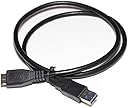
Gran compra!!! Lo compre para conectar un dispositivo Android a la tv, en concreto mi Oneplus 5. También lo he probado con mi tablet Lenovo P8 Plus. El Oneplus 5 dispone de un puerto USB tipo C 2.0 y por lo tanto no se puede conectar por si solo a la tv. Con este dispositivo (ClimaxDigital), gracias a la tecnología DisplayLink, con solo descargarte la aplicación con el mismo nombre del PlayStore, ya puedes conectar el móvil / tablet y ver la pantalla de este en tu TV sin retardo. Los 2 inconvenientes que he encontrado: - El primero; que por medio del cable HDMI, el contenido no se escucha en la TV, solo en el dispositivo Android. Desconozco si con un cable DBI/VGA cambiará la cosa. Creo que va más encaminado a que mi teléfono tiene USB tipo C 2.0, y que si fuera USB tipo C 3.0 o 3.1, no habría este problema (no estoy seguro al 100%). Si se tiene una barra de sonido, altavoces o home cinema, esto se puede solucionar conectando el teléfono/tablet vía bluetooth o cable, si no habrá que escuchar el sonido en el teléfono/tablet.. El segundo; que el teléfono se calienta un poco en juegos exigentes, pero esto es normal ya que además alimenta al dispositivo ClimaxDigital. Eso da a lugar a que solo se pueda alimentar con el propio teléfono/tablet/pc. En un pc da igual, ya que tiene una fuente de alimentación que le da energía, pero en el caso de un teléfono/tablet que se alimentan por la toma USB se complica. Quizás con un adaptador doble se pueda conectar a un enchufe a la vez que al dispositivo ClimaxDigital. En cualquier caso, es una gran compra, ya que la alternativa es conectarlo vía wifi, lo cual tiene bastante lag y pérdida de calidad. Decir también que no trae cable hdmi/dBi, pero si que trae un cable Usb 3.0 a Usb 2.0, para conectarlo al pc/tablet/móvil. En el caso de estos 2 últimos, se necesitará un adaptador USB 2.0 hembra a micro USB / USB tipo C.
A**O
muy bueno
Cumple lo que dicen. facil de configurar, he comprado otro.
Trustpilot
2 months ago
3 weeks ago