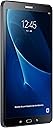
🚀 Elevate your everyday — power, precision, and play in one sleek tablet!
The Samsung Galaxy Tab A (2016) T580 is a 10.1-inch Wi-Fi tablet featuring a sharp 1920x1200 WUXGA display, powered by an octa-core 1.6 GHz Exynos processor with 2GB RAM and 16GB storage. It boasts an 8MP rear camera with F1.9 aperture and HDR for superior photos, Android 6.0 OS, and smart connectivity options like SideSync and Wi-Fi Direct. Designed for productivity, entertainment, and family use, it combines performance and versatility in a sleek black chassis.
| ASIN | B01ERY8650 |
| Age Range Description | Kid |
| Aspect Ratio | 16:10 |
| Battery Cell Type | Lithium Ion |
| Box Contents | Power Adapter, USB Cable |
| Brand | Samsung |
| Brand Name | Samsung |
| CPU Model Number | SM-T580NZKADBT |
| Camera Description | Front, Rear |
| Colour | Black |
| Compatible Devices | USB Cable, Power Adapter |
| Customer Reviews | 4.5 out of 5 stars 2,098 Reviews |
| Digital Zoom | 4 x |
| Display Type | 4K UHD |
| Display resolution maximum | 2 Pixels |
| Frame Rate | 30fps, 60fps |
| Front Photo Sensor Resolution | 5 MP |
| GPS Geotagging Functionality | True |
| Generation | 2nd Generation |
| Global Trade Identification Number | 08806088372150 |
| Graphics Coprocessor | Intel GMA 3150 |
| Graphics Description | Integrated |
| Hard-Drive Size | 16 GB |
| Hardware Interface | USB 2.0 |
| Headphones Jack | 3.5 mm |
| Human Interface Types | Touchscreen |
| Item Weight | 525 Grams |
| Lithium Battery Energy Content | 10 Watt Hours |
| Manufacturer | Samsung |
| Manufacturer Part Number | SM-T580NZKADBT |
| Maximum Display Resolution | 2 Pixels |
| Memory Slots Available | 1 |
| Memory Storage Capacity | 16 GB |
| Memory storage capacity | 16 GB |
| Model Name | Galaxy TAB A 10.1 T580N WI-FI 16GB |
| Model Number | SM-T580NZKADBT |
| Model Year | 2016 |
| Model name | Galaxy TAB A 10.1 T580N WI-FI 16GB |
| Native Resolution | 1920 x 1200 pixels |
| Network Connectivity Technology | Bluetooth, USB |
| Number of Rear Facing Cameras | 1 |
| Operating System Family | Android |
| Operating Systems | Android |
| Operating system | Android |
| Other Special Features of the Product | Extended Battery Life |
| Processor Brand | Samsung |
| Processor Description | Exynos Octa Core |
| Processor Speed | 1.6 GHz |
| RAM Memory Installed | 2 GB |
| RAM Size | 2048 MB |
| Rear Facing Camera Photo Sensor Resolution | 8 MP |
| Rear Webcam Resolution | 8 MP |
| Screen Size | 10.1 Inches |
| Screen size | 10.1 Inches |
| Sensor Type | Photo sensor |
| Specific Uses For Product | [INFERRED: Multimedia consumption, gaming, photography, video calling, web browsing, email, online shopping] |
| Supported Audio Format | MP3, AAC, NA |
| Total USB Ports | 1 |
| Video Capture Resolution | Full HD 1080p oder HD 720p |
| Video Processor | Samsung |
| Warranty Type | Limited |
| Wireless Compability | 802.11a, 802.11ac, 802.11b, 802.11g, 802.11n |
| Wireless Technology Type | Wi-Fi |
J**W
Better than IPAD! Sharp HD screen, 1.6Khz Octo core and fast.
I bought this for my wife, as her tablet was getting old. You know, I actually think this is much better than my Ipad, which costs hundreds more and now I am jealous that something for a fraction of the cost works so much better! Plus I can get out of that whole other proprietary eco-system that has frustrated me for years. It was delivered within 2 days which I thought was good. (prime. ordered late Saturday. Arrive Mon Morn) My wife tells me how much quicker it is than 'that old thing'. The battery life is very good and the quad core speed makes life so much better with rapid web pages (who'd had thought) and streaming and movies are perfect. I set up all the email accounts, TV apps (now, prime, sky), newspaper apps and I was amazed how slick and clear it was compared to my tablet that seems to want to stop and think about things every few minutes or wants to type long after you've finished typing. But this is just super quick! The camera has a remarkable sharp 8Meg HD camera on the back and I know that might not sound a lot by today's cameras, but the clarity on the screen is very sharp and detailed on its 1900 x 1200 screen with natural colours. It also has a split screen option, so you can continue working on the app on the left, whilst opening your 'multiple windows in space' view, on the right. I would definitely consider buying anther one of these for myself in the future, because for the price - and let's face it, under ÂŁ200 is cheap for a branded tablet - instead of throwing out hundreds more, where the price versus value graph starts to drop.
A**S
Solid device. Very good value.
I bought mine from curry's /pc world for a few quid cheaper. I've also got the ÂŁ20 tech gear Bluetooth keyboard case which I got on amazon. This basically turns out into a tablet /laptop. The tablet is a good size, comfortable to hold and good for watching Netflix on. It's replaced my gaming pc while that piece of poo is being fixed. I use it for light gaming, social media, streaming YouTube and Netflix and for writing. When it comes to writing, I have been pleasantly surprised how comfortable it is to write on. I have noticed no slowness or lag in anything I'm doing and none of my apps have crashed since I've had it. In terms of battery life, I'm getting about 14 hours of life out of it, which is much better than I expected! The cameras aren't great, but it's a tablet so they're what I expected really. Conclusion: it's a great value tablet. Ideal for writing, browsing, social media, streaming and general Internet usage. I have only had it a couple of weeks, so I'll leave judgements on longevity for now. So far, very impressed!
G**2
Excellent device - durable
Excellent device - durable, reliable, and fantastic value compared with Apple products. Battery lasts almost for ever even if not shut down. Bought it mainly for quick, inpulsive web searches, viewing photos, and reading books on (it's light and handy enough for the latter, and I prefer it to a Kindle). I was new to the Android operating system, as I dislike smartphones, but it's reasonably intuitive and easy to learn. The memory fills up quickly though if you keep photos on it. A large capacity micro SD card and a case are near essential accessories. Get the Samsung case, it's worth it.
P**T
Designed as a large Galaxy phone, rather than a tablet
I have been a Samsung fan for many years, so when it came to deciding on a replacement 10” tablet I hardly hesitated in choosing the Galaxy Tab A, for its shear familiarity and known quality. In writing this review, I make the assumption that, like me, most people would use the 10” tablet in landscape mode, and that’s where I failed to notice during my reviews three major issues: (1) the standard three function buttons on the front are exactly the same as on the mobile phone and smaller tablets, namely fixed on the screen edge frame, rather than on the inner edge & remain at the bottom regardless of viewing mode. When you turn the tablet to landscape mode, the three function buttons (and indeed the speakers) move with the tablet to the right / left side. I make the assumption that most people would use the 10” tablet in landscape mode, so using the three function buttons on the right or left side is not a familiar environment. (2) the speakers, built into the outer edge of the tablet’s frame, of course move to the left or right side when in the more regularly used landscape mode, so the sound becomes one-side, more noticeable when listening to music or video/TV/YouTube. (3) the camera is at the top of the portrait mode, so when, for example, conversing via Skype, one needs to remember to look left or right at the camera rather than the more familiar directly ahead when in landscape mode. Of minor concern, but begins to annoy the user after even a short period, is that there is little room to hold the tablet comfortably in one hand as the outer-edge frame is so narrow (ie more screen) – one can so easily press the screen by accident. Finally, when holding the tablet in landscape mode, and because of its weight and size, one generally needs both hands to hold instead, and thereby quite easily obscure the camera and microphone and/or the speakers. Samsung’s decision the use the same layout plan for all its devices is disappointing, and suggests lack of through-thought on handling tablets differently to mobile phones. Hence, I decided not to retain this excellent quality tablet. If a prospective purchaser sees no issues with the observations above, then this Samsung Galaxy Tab A is top quality.
J**R
User friendly Samsung tablet
I bought this to use during quiet periods at work. I didn't want anything too expensive, and I was already a lover of Samsung devices, so this ticked the boxes for me. It's not the fastest or the sharpest tablet out there, but it suits my needs perfectly and I would highly recommend it to anyone looking for a good quality mid-range reliable tablet. Battery life is astonishing, and lasts weeks on standby. Yes, weeks. Picture quality is nice and crisp, and the sound quality is great for a tablet. As always with mobile devices, it's wise to invest in a good quality protective case and maybe even a screen protector.
D**.
) Certainly not disappointed. It does everything and more than expected although ...
Bought this as a replacement for I Pad that was beginning to slow down and freeze (after much use!) Certainly not disappointed. It does everything and more than expected although I have Samsung phone so shouldnt be surprised really. Good size screen - not as big as i pad but 10'' is adequate for any tasks including watching movies and playing games. Good camera, tablet easy to set up. Comes with word, excel and powerpoint which I wasnt expecting. Great tablet, handy for carrying and using on the go. I'm very happy with it - recommended to 2 friends who have also converted from ipad and purchased this Samsung tab recently.
S**U
Better than an iPad.
Yes, I really do love it. It was a birthday present for my wife and now I get to watch what I want on TV while she uses the tablet. The screen is a good size for playing games or surfing the 'net. The battery life is incredible and it hardly weighs anything. It took a bit longer to set it up than I thought - it seemed almost as annoying as an iPad, but its only done once. If you need details then look up the technical specification for yourself. Suffice it to say that I am thinking of buying one for myself. (Then the cat will be able to watch what he wants).
A**R
Wonderful Samsung Tab A
Wonderful Tablet . . I feel like throwing my Laptop away, as it so good, quick, clear, and I'm amazed just how much you can do on it, with all the Apps. A heck of a lot quicker than switching on a Windows Laptop and waiting for it to boot up. Oh, and just to add, two of my friends say it works better, and is more versatile than their similarly-sized iPads. I'm hooked, thanks Samsung :)
M**R
It's just a Samsung so good.
It's a good one.
G**D
Mejor de lo esperado
Tras dos decepciones con tablets chinas con Windows 10, me resignĂ© a Samsung (marca que no me gusta personalmente) con Android y un presupuesto de 200€. Por lo que leĂ, que no fue poco, Ă©sta era la mejor valorada en calidad precio. Las expectativas se han visto muy superadas, la tablet es muy ágil, la baterĂa dura mucho, veo pelĂculas en hd, a juegos no demasiado exigentes a nivel gráfico, sincronizo archivos con mi nube y tengo unas 50 apps instaladas. Va de lujo, es una buena compra. A destacar totalmente la ranura micro SD externa donde puedes almacenar las aplicaciones sin problemas de espacio. Por ponerle "peros", echo en falta alguna conexiĂłn hdmi que puedo suplir con ChromeCast, en la pantalla se quedan en seguida los dedos marcados y quizás la distribuciĂłn del peso es algo rara porque es muy alta (pero eso es algo mĂo maniático). Una buena compra sin duda por ese precio.
A**D
Verpakking is al open geweest
Had er 1 besteld ( nieuwe) waarvan de zegel al verbroken was dus gelijk gemeld bij Amazon want ik weiger deze. Dus retour.
A**R
Leichtes Tablet. Tolles Display. Top Performance. Und das alles fĂĽr einen absolut fairen Preis.
Ich habe das Samsung Tab A 2016 gekauft, weil ich mit meinem IPad 2 nicht mehr zufrieden bin. Trotz mehrmaligen Zurücksetzens auf Werkseinstellungen läuft das Ipad sehr träge. Es musste also ein neues Tablet her. Doch welches? Die Entscheidung fiel auf das neu erschienene Samsung Galaxy Tab A 2016 ' WiFi. Ich benötige kein Hardware-Monster mit dem neuesten Grafik-Chip, sondern ein familientaugliches, performantes Tablet mit dem man gut im Internet surfen kann, Filme schauen kann und ab und an auch ein Spiel spielen kann. Das Galaxy Tab A hat einen Vorgänger mit der Bezeichnung Tab A T550N. Das T550N ist etwas kleiner (9,7 Zoll vs 10,1 Zoll), es hat einen langsameren Prozessor (Quad-Core 1,2GHz vs Octa-Core 1,6 GHz), es hat etwas weniger RAM (1,5 GB vs 2 GB), die Auflösung ist geringer (1024x768 vs 1920x1200), der Grafikchip ist langsamer (Adreno 306 vs Mali-T830 (IGP)), um nur einige Kaufargumente für die neuere Version zu nennen. Auch wenn das Vorgängermodell aktuell ca. 100€ günstiger angeboten wird, würde ich zum neuen Tab A raten, alleine schon wegen der besseren Auflösung. *** Erster Eindruck ' Auspacken und Haptik *** Das Tab A kommt in einer schicken Verpackung, sicher geschützt. Tab und Zubehör sind ordentlich in der Verpackung untergebracht. Es fühlt sich gut an und ist auch mit einer Hand recht gut zu halten und rutscht nicht. Laut meiner Küchenwaage wiegt es 518 Gramm. Auf der Unterseite besitzt das Tablet einen Hardware-Knopf für den Startbildschirm. Des Weiteren findet man neben dem Hardware-Knopf zwei Software-Knöpfe für 'zurück' und den 'Tab-Wechsler'. An der rechten Seite befinden sich ebenfalls zwei Hardware-Tasten, eine zum Regeln der Lautstärke und die andere zum Ein- und Ausschalten des Tablets. Alle Tasten sind leichtgängig und geben ein gutes Feedback. Das Tablet ist weniger als 1cm dick. Die Rückseite ist nicht ganz eben, da die Kamera wenige mm herausragt. Eine Hülle ist hier wohl anzuraten. Der Rahmen ist links und rechts ca.1 cm breit, oben und unten ca. 1,7 cm. Fingerabdrücke sieht man auf der Rückseite schon etwas. Mit einem Mikrofasertuch leicht zu entfernen. An der Unterseite befinden sich zwei kleine Lautsprecher. An der rechten Seite befindet sich der Schacht zur Speichererweiterung mit micro SD-Karten. Die Verarbeitung ist top. Es gibt eine leichte Kante an den Seiten des Tablets. *** Nutzung allgemein *** Beim ersten Einschalten startet der Einstellungsassistent und führt einen durch diverse Grundeinstellungen. Das hat wenige Minuten gedauert und ging leicht von der Hand. Das Tab A kommt werksseitig mit Android 6.0.1 installiert auf den Markt. Das Tab A weist keinerlei Verzögerungen auf, egal ob man nun eine App startet, den Bildschirm 'wischt' oder ein Video startet. Alles startet ohne spürbare Pause. Das Tab A beherrscht Multitouch. Es können mehrere Finger gleichzeitig über das Pad gefahren werden, um bestimmte Befehle auszuführen, etwa das Zoomen. Multitasking funktioniert wunderbar. Der Wechsel zwischen aktiven Apps funktioniert mittels der Tab-Wechsel Taste super. Standard mäßig sind einige Apps (Bloatware) vorinstalliert. Dies hält sich zum Glück in Grenzen. Alle Apps lassen sich einfach deinstallieren. MS Office Apps wären da und einige Icons zu Samsung Apps/Essentials Weitere Features: -Smart Manager mit RAM und Speicher Verbrauch, Akku-Stand und Gerätesicherheit -Ton Konfigurator mit Surround, Höhen- und Tiefenregler, Simulierte Räume, Adapt Sound' -Helligkeitssensor zur automatischen Helligkeitssteuerung des Displays, Smart Stay erkennt Gesicht vor Tablet und bleibt so lange an -Benutzer und Profile einrichten -Kindermodus (durch Pin geschützt) mit eingeschränkten Rechten auf dem Tablet, etwa keine Anrufe/ kein Internet etc. *** Speicherplatz *** Das Tab A hat 16 GB Speicherplatz. Dieser ist mittels microSD Schacht erweiterbar. Das sollte für nahezu alle Ansprüche genügen. In der Werkseinstellung sind 5,65 GB bereits verbraucht, so dass netto ca. 10,35GB zur Verfügung stehen. Ich habe eine 16 GB microSD HC Karte in den Schacht gesteckt. Die Karte wurde anstandslos direkt erkannt. So können dort etwa Fotos und Videos gespeichert werden. *** WLAN *** Das Tab A verfügt die WLAN Modi: 802.11 a/b/g/n/ac. Die subjektive WLAN-Geschwindigkeit mit 802.11 n im 5 GHz Band ist schnell und stabil. Internetseiten bauen sich binnen Sekunden auf. Auch beim Bewegen innerhalb der eigenen 4 Wände bleibt die Verbindung stabil (natürlich abhängig von der eigenen WLAN-Versorgung zu Hause). Das Scrollen von Internet-Seiten erfolgt sehr weich, ohne Stottern. Die Einrichtung klappt kinderleicht, wie bei anderen Geräten. *** USB *** Der USB-Anschluss ist eine Micro-USB 2.0 Anschluss. Beim Verbinden mit dem PC werden zunächst automatisch die notwendigen Treiber installiert. Danach ist das Galaxy Tab in Windows als Gerät eingebunden und man kann auf die Ordner des Tabs zugreifen, um etwa Bilder runterzuladen. *** BluTooth *** Blutooth unterstützt das Tab A in Version 4.2. Mein Plantronics Legend Headset wurde direkt erkannt. Die Verbindung wird über einige Meter stabil gehalten. *** Primär-Kamera (Rückseite) *** Die Frontkamera hat eine Auflösung von 8 MP und ist mit einer Blende von F/1,9 erstaunlich lichtstark. Die Fotos werden ohne Verzögerung geschossen, so dass man auch das gewünschte Motiv auf dem Bild hat. Die Qualität ist top. Video-Aufnahmen werden in Full-HD aufgenommen. In dunkleren Szenen hilft der LED-Blitz erstaunlich gut und erzeugt gut belichtete Aufnahmen. *** Sekundär-Kamera (Frontseite) *** Die Qualität der Sekundär-Kamera ist nicht so gut. Sie hat eine Auflösung von 2 MP und eine Blende von f/2,2. Dennoch sind auch mit dieser Kamera aufgenommene Bilder ausreichend gut. Wohl eher für Videotelefonie gedacht. *** Der Akku *** Der Akku hat eine Kapazität von 7,300 mAH. Das dürfte für einige Stunden Dauerbetrieb genügen. Da Tablet bietet einen Energiesparmodus und einen Ultra-Energiesparmodus (hier wird der Startbildschirm stark reduziert). So kann die Akkulaufzeit stark erhöht werden. Das Tab sagt sogar wie hoch der Stromverbrauch ca. ist. In 34 M 16 S habe ich ca. 224mAH Strom verbraucht. Nach knapp 51 Minuten lag der Verbrauch bei 330mAH. Solch eine Funktion hatte ich bisher noch nicht gesehen. *** Display *** Die Helligkeit des Displays kann in einer großen Bandbreite eingestellt werden. Auch gibt es einen Automatikmodus, der die Helligkeit in Abhängigkeit vom Umgebungslicht regelt. Der Wechsel von Hochkant zu Quer klappt schnell und in beiden Fällen ist alles ganz scharf und klar. Die Helligkeit dürfte auch draußen in der Sonne genügen. Pixelfehler konnte ich zum Glück keine ausmachen. Die Pixeldichte beträgt 224 ppi. Alles wirkt gestochen scharf. Es sind keine Ausfransungen zu erkennen. Weder bei Schrift noch Bild. *** Grafikchip*** Im Tab A arbeitet ein Mali-T830 MP2 Grafikchip mit 700 MHz. Der Subjektive Eindruck ist top. Internet, Videos und Spiele werden absolut flüssig dargestellt. Neueste Spiele in Full HD könnten den chip jedoch überfordern. Dann ruckelt es leicht. Oft kann man die Grafikdetails im Spiel etwas reduzieren dann passt es wieder. Ein Test mit Antutu ergab eine Wertung von 46268 Punkten. Das ist ein toller Wert. In der Rangfolge ergibt das Platz 26. Das Galaxy S7 Edge landet auf Platz 3. 3D: 5730 UX: 17353 CPU: 16786 RAM: 6399 Spiele in 3D laufen flüssig ab. *** Ton *** Die eingebauten Lautsprecher des Tab A erzeugen einen ordentlichen Klang. Natürlich darf man hier nicht zu viel erwarten, aber meist sind die Lautsprecher bei mobilen Geräten deutlich schlechter. Ich bin mit der Qualität zufrieden, auch da es diverse Einstellungsmöglichkeiten für den Ton gibt. So, das war es fürs Erste. Sobald ich mehr Erfahrungen gesammelt habe, ergänze ich diese Rezension. *** Update vom 16.06.2016 *** Der Bildschirm kann in zwei Bereich aufgeteilt werden, so dass links eine App und rechts eine andere angezeigt wird. Der Mittelpunkt ist variierbar. Das ist toll. Zum Akku: Nach ca. 21 Std. Akkubetrieb zeigt die Akkuanzeige noch 98%, dabei habe ich in diesem Zeitraum je zwei Mal ca. 5 Minuten gesurft bei maximaler Helligkeit. Sonst war das Tab im Standby Modus. Die Voraussage in der Akku-Anzeige schätzt noch ca. 47h Laufzeit bei gleichbleibendem Nutzungsverhalten. 10 Minuten Asphalt 8 in maximaler Helligkeit hat den Akkustand von 97% auf 95% verringert. Hochrechnung läge dann für 1 Std. bei ca. 12% Verbrauch. Der Akku scheint top zu sein und ein echter Dauerläufer. *** Update vom 22.06.2016 *** Der Akku war nun nach 8 Tagen fast leer (ca. 6% Rest). So lange hat er durchgehalten bei täglich ca. 1-1,5 Std. Surfen und Mails checken, etwas Youtube Videos schauen etc. Die meiste Zeit war das Tab jedoch im Standby-Modus. Das vollständige Laden hat ca. 4,5 Std. gedauert. *** Update vom 15.07.2016 *** Nach langer Recherche habe ich endlich eine passende Hülle gefunden: Samsung Galaxy Tab A 10.1 Hülle - iHarbort® Premium Samsung Galaxy Tab A 10.1 Zoll (2016 Version SM-T580N SM-T585N) Leder Tasche Hülle Etui Schutzhülle Case Holder Stand mit Smart Auto Wake / Sleep-Funktion (Gakaxy Tab A 10.1,Schwarz) Diese kann ich wärmstens empfehlen. Sie passt perfekt. Alle Knöpfe etc. bleiben frei und die Wake-Up Funktion läuft einwandfrei. Ich habe die Hülle auch bewertet. *** Fazit *** Das Samsung Galaxy Tab A 10.1 ist ein tolles Gerät. Es ist relativ leicht und liegt gut in der Hand. Es reagiert stets direkt und hängt nie. Das Display ist gestochen scharf. Die Performance ist top für diesen Preis. Eine klare Kaufempfehlung. Ich hoffe meine Rezension war hilfreich.
K**E
Très belle tablette
Samsung a réussi là , une très belle tablette avec un écran restituant bien les détails, même à des angles très ouverts. Elle est très réactive et possède tous les dispositifs souhaitables (wifi, bluetooth, app photo, GPS, ...) et la qualité des composants n'a rien à envier aux tablettes Apple. J'ai dû cependant pallié à un stockage un peu juste (16 Go), en équipant la tablette d'une carte mémoire de qualité de 64 Go, le surcoût restant somme toute modeste. La tablette est d'une finesse surprenante et d'une légèreté remarquable. Une fois paramétrée et dotée de quelques applications incontournables, j'ai eu quelques regrets à ... m'en séparer, s'agissant d'un cadeau de Noël. Si je devais acheter une nouvelle tablette pour mon propre usage, je prendrai ce modèle sans hésitation.
Trustpilot
1 month ago
2 months ago