Buy anything from 5,000+ international stores. One checkout price. No surprise fees. Join 2M+ shoppers on Desertcart.
Desertcart purchases this item on your behalf and handles shipping, customs, and support to British Virgin Islands.
🎮 Unlock Ultimate Wireless Freedom Across All Your Controllers
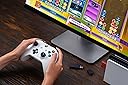
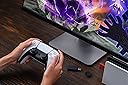
The 8BitDo Wireless USB Adapter 2 is a compact, matte black device that enables seamless wireless connectivity for a wide range of controllers including Xbox Series X|S, Xbox One Bluetooth, PS5/PS4, Switch Pro, and Wii controllers. Compatible with Switch, Switch 2 (with firmware update), Windows, macOS, Steam Deck, and Raspberry Pi, it supports 6-axis motion on Switch and vibration on X-input mode. Advanced customization options allow button remapping, sensitivity adjustments, vibration control, and macro creation, making it a versatile tool for professional and casual gamers alike.


| ASIN | B09M8CVMYF |
| Best Sellers Rank | #450 in Video Games ( See Top 100 in Video Games ) #4 in Nintendo Switch Cables & Adapters #28 in Mac Games & Accessories #94 in PlayStation 5 Consoles, Games & Accessories |
| Brand | 8Bitdo |
| Built-In Media | 8Bitdo Wireless USB Adapter 2 for Switch |
| Color | Black |
| Compatible Devices | Gaming Console |
| Connector Type | Micro USB |
| Current Rating | 1 Amps |
| Customer Reviews | 4.4 4.4 out of 5 stars (6,122) |
| Finish | Matte |
| Input Voltage | 20 Volts |
| Item Dimensions | 3.54 x 2.17 x 0.98 inches |
| Item Weight | 20 Grams |
| Manufacturer | 8bitdo |
| Model Number | 8BitDo USB Wireless Adapter 2 |
| Number of Items | 1 |
| Number of Ports | 1 |
| Package Quantity | 1 |
| Power Plug Type | No Plug |
| Specific Uses For Product | Video Game Console |
| Unit Count | 1.0 Count |
| Warranty Description | 1 Year |
R**Y
Recommended Wireless Adapter
I have only used this adapter for a few hours, but so far it is performing exactly as expected! This allows you to connect a wide array of controllers to your PC or console with close to if not zero latency. I wanted a solution to use my Xbox Elite controller wirelessly , but the Bluetooth connection is a joke with the input lag. This adapter solves that problem, and since I have other controllers I can use those too as a bonus!
W**A
Works great with PS5 controllers!
When it comes to d-pad based games, Sony's controllers are undefeated. Xbox controller dpads are too clicky and have no feedback. Nintendo's dpads are great, but their controllers lack triggers (ZL/ZR are just buttons), so they don't work well for games that require analog input. I got some wicked deals on PS4 and PS5 controllers, but I don't have a PS4 or PS5 to utilize them. That's where this dongle comes into play. I put the controller into sync mode (Share + PS button), hold the button on the 8bitdo adapter when connected to USB port, and the controller syncs up lickity split! I've updated mine to the latest firmware from 8bitdo and it works perfectly on Switch 2 (make sure you enable the "Pro Controller Wired Communication" setting) as well as PC. Steam still detects it as an Xinput controller, which is fine since Xinput is guaranteed to work on any game that supports a controller. As long as you're not completely smooth brained, you'll know to press X when the game tells you to press X and not the other X. Right? You got this champ. 10/10 adapter, by the way.
J**O
Good product bad user experience.
This thing works great. Only issue I had was having to update it to work on my switch. Holy moly did that take long. The issue was finding what link to download the fight update option. That took like 2-3hrs. There are no clear videos or write ups that give help.
E**N
Finally, Xbox Series X|S on Nintendo Switch WIRELESS
This review is for the new (Amazon date first available 12/6/2021, version 2) “8Bitdo Wireless USB Adapter 2”. Short version: Confirmed, as of 1/20/2022, the new “8Bitdo Wireless USB Adapter 2” completely supports Xbox Series X|S controllers in Bluetooth BLE wirelessly on Nintendo Switch. Bluetooth pairing is under 3 seconds. Reconnection is about 2 seconds after the initial pairing. No lag from what I could experience. All buttons, including the new Share button, can be remapped by using 8bitdo Ultimate Software. However, profile needs to be reactivated every time Switch wake up from sleep. Which is a bit troublesome. Long version: I have been using four 8bitdo SN30 Pro+ and Pro2 controllers on my two Nintendo Switches for almost two years. SN30 Pro’s are great controllers. 8bitdo has great after sale support especially frequent firmware upgrades to fix problems. Things changed over Thanksgiving time. I bought my first Metrodvania 2D side scroll platform game, Ori and the Will of the Wisps. The left stick of SN30 pro2 hurt my left thumb after long play because of its position. BTW, I am 60 years old, most players are younger than me and most likely won’t have my problem. I also have four Playstation 4 controllers but they have the same left stick position. Xbox controller should help because left stick is on top and closer to edge so my left thumb does not have to extend wide as on the SN30 Pro2 and Dualshock4. Bought a Xbox Series X|S controller over black Friday sale from COSTCO and discovered it does not work with the Mayflash Magic-NS and Magic-N I already have. Though Mayflash adaptors claimed they work with all Xbox controllers. Later found out this was because Xbox Series controllers now use Bluetooth BLE instead of the Classic mode. I spent days researching and couldn’t find much information other than everybody just reported how they couldn’t use Xbox series control on Switch. BTW, there are cumbersome or expensive (more than $30) way to do it but I don’t want to either use two adapters in serial, nor pay more than $30 to buy another adaptor, so this new Xbox Series controller can only be used to play Dolphin emulator games on PC. BTW, it works great with Dolphin emulator on PC. I regain hope after reading someone in different item review on Amazon mentioned the 8Bitdo Wireless USB Adapter 2 works with his Xbox Series controller. I decided to give it one more try. I don’t want to bore you with how difficult is was for me to finally receive this adaptor 14 days after ordering with Prime shipping, just hope your purchase experience will be easier than mine. Today I am playing Ori on switch with Xbox Series X|S controller WIRELESSLY. Happy ending.
N**M
Worked out of the box connecting XB1 and PS5 to Switch, some issues.
My Switch Pro controller analogs are both shot now, and I figured 20 bucks for a bluetooth adapter to use other controllers on hand was worth trying, compared to the price of replacing the official controller. So far I've used this to connect my Xbox One controller (for the older Xbox, not the current one) and a PS5 controller to my Nintendo Switch. I did not update the 8BitDo2's drivers or change anything on the adapter's settings, and the controllers themselves were both up to date on firmware. So far I've only had connection issues with the Xbox One controller, which I suspect was due to the old AA batteries being low, but the controller worked great for the first 20 or so hours, with the exception of one mid-salmon run match where the controller got stuck and had me running in circles until I was booted. Most buttons on the XB1 were mapped one to one with the Switch, the only buttons I didnt seem to have access to was screenshot and recording. The rumble worked but was a bit too strong for my liking. Then I swapped to using my PS5 controller, and have been keeping the controller's power topped off. Ive had no disconnect issues with the PS5 controller while games were running and the console was powered on. The PS5 controller seems to emulate all buttons as well as motion controls, while using the touchpad button to take screenshots and record clips. Both controllers occasionally have to be reconnected when the console has been off for a while, which is fairly easy to do. I'm not sure why this is, the adapter seems to retain connected devices after being unplugged. Some days I wake up, press the PS or Xbox button to connect them to the adapter, and then press it again and the console wakes up, other days I have to walk over to the docked console and press the power button, and then reconnect the controllers. So far both controllers were very responsive pressing buttons and responding to analog sticks, I have not been able to perceive any delay/latency compared to using the Switch Pro controller. I typically sit between 4 to 12 feet away from the console when I play. Both controllers seemed to have a mildly annoying dead zone on the LR2 triggers though, but it usually doesn't affect anything unless I need to press those triggers rapidly. Either I never noticed this dead zone when using the controllers on their respective consoles, or the *BitDo2 is set to wait until a certain analog distance is pulled before emulating the digital signal to the Switch. Out of the box, this may be annoying depending on what hardware you have to tweak it with, since it requires a compatible smartphone or PC.
S**R
Easy way to use different controllers across devices
This adapter is a really convenient solution if you want to use different wireless controllers across multiple systems. Setup was straightforward — just plug the adapter into the device, pair the controller, and it connected quickly. One of the best things about it is the wide compatibility. Being able to use controllers from systems like Xbox, PlayStation, or Switch on other devices like a PC or Raspberry Pi is really useful, especially if you already have controllers you like using. The adapter itself is small and unobtrusive, so it doesn’t take up much space when plugged into a USB port. Once connected, the controller input felt responsive and stable during gameplay. Overall, this is a great little adapter if you want more flexibility using your controllers across different platforms.
N**S
Totally Useless, Does Not Work on Windows 11 with Xbox Elite Series 2
I bought this to use with my Xbox Elite Series 2 Controller on my PC, running Windows 11. Previously I had purchased another, cheaper USB dongle to pair this controller to, and it honestly worked great. I bought this 8bitdo dongle when that cheaper dongle bent, as I thought it would be nice to have an upgraded dongle that was not bent. This one had good reviews, so I really looked forward to having a more reliable dongle for my controller when gaming on my PC. Unfortunately, this product is completely useless for my use case, as it simply does not work at all. I am able to pair my controller to the dongle, but the dongle simply does not transmit any controller button inputs to my PC. I have tried updating the firmware to no avail, and I have tried using 8bitdo's software to troubleshoot my issue, but said software is completely unhelpful, and does not seem to do anything at all. I have scoured the internet for troubleshooting tips - most of which come from third party sites, as 8bitdo's website seems to have major issues and mostly doesn't seem to even work - but nothing I have tried has made this 8bitdo dongle function as it is advertised. I have since returned to using my old, cheap, bent USB dongle, which still works great, despite requiring absolutely no drivers or software or firmware updates. This 8bitdo dongle seems to require a lot of software and firmware updates, along with major troubleshooting, and still does not have a guarantee of working. I am incredibly disappointed with this product, and moreover I am disappointed with myself for not returning it within the return window, as this thing is just totally useless. I cannot recommend this product at all, if you intend to use it on a Windows 11 PC with an Xbox Elite Series 2 controller.
B**N
Works with DualSense to Switch 2...
Got this half off used knowing many probably returned after not being able to figure it out. There is not a lot of help on their website. Have a conversation with Google Gemini while trying to troubleshoot the set up, but long story short, from their website, get the firmware updater and exact software for this product, rather than the "ULTIMATE" all in one product. Boot the firware updater and plug this thing in WHILE HOLDING THE BUTTON ON IT. The firmware updater will actually see it and you can get it updated, then shift over to the controller pairing software, press the button on the dongle and pair a DualSense to it and press Switch mode for the profile. That's really it, then you restart your Switch and plug the dongle into the dock. Connect the DualSense to the dongle, then for me, I had to USB-C the controller to the second USB of the dock to get the connection to solidify. It was janky, and annoying, but I got there and it's working.
A**S
Great little device.
It's worked great! Obviously I tested a Switch 2 Pro controller and it did not work but wanted to test. Works with my Xbox Controller on PC and my Switch Pro 1 controller on PC. I tested it on PS5 and it didnt seem to work. Tried connected a PS5 controller to Switch, it didnt work. So make sure you fully read the description of this item before purchasing as it seems to only work with controllers stated. That being said, it's been a dream to use my xbox controller wirelessly since my computer has such garbage bluetooth. I got it for way cheaper than the price of 26CAD (it's current price at time of this review) I think I paid under $20 so wait for a sale if you want.
魚**ト
遅延なく安定している
プラットフォーム Windows 使用パッドXbox 初回だけですが、HPからアプリケーションをダウンロード、ソフトを起動、パッドの通信ボタンで認識させる。 次、ゲーム側の認識が必要で、アダプターのボタンを押して、パッドメニューボタンを押したら、Windowsで使用しているXboxだと認識してくれた。ゲームによるだろうが、この手順は必要で、ゲーム側がSwitchなどのパッドと認識するらしい。 一手間かかるが、遅延もなく高難度で使用できている。Microsoftは、何故かわからないがXboxのワイヤレスアダプターを販売していない。Bluetoothは不安定なため、いささか使い物にならない。オンラインで高難度プレイする人なら、理解できるかと思う。価格も高くない、仮に壊れたとしても手に入れやすい。
K**R
Works out of the box
Works exactly as intended with an xbox series s/x controller after paring. The 8BitDo Windows app is neccessary for it to work and map custom buttons.
T**L
ماتشغل مع كل الكنترولرز
للأسف القطعة ماتشتغل مع كل الكنترولرز حتى لما سويت آبديت لها, انا استخدم كنترول البلايستيشن 4 و3 على البي سي
I**X
Funciona legal, sem input delay
Funciona perfeitamente com o dualshock 4. Uma eu notei é que fica impossível de mudar a cor do led do controle, sempre que fica conectada ao pc, fica com a cor verde. Não é possível mudar pela Steam. Outra questão é, não é mais possível ver quanto de bateria resta no controle, pelo DS4Windows, você tem que desligar o controle e usar um cabo USB pra isso.
Trustpilot
1 week ago
5 days ago