๐ Share smarter, not harder โ your USB devices, unified.
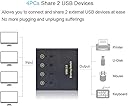
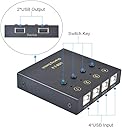
The eKL USB Switch Selector enables seamless sharing of 2 USB 2.0 devices across 4 computers with simple button switching and LED indicators. Compatible with all major operating systems, it delivers stable 480 Mbps data transfer without needing an external power source, making it an essential hub for multitasking professionals and small offices.


| ASIN | B07L6VSFC8 |
| Additional Features | LED Indication |
| Best Sellers Rank | #32,677 in Computers ( See Top 100 in Computers ) #78 in KVM Switches |
| Brand | eKL |
| Color | Chrome |
| Colour | Chrome |
| Compatible Devices | Card Readers, Keyboards, Mouse, Printers, Scanners |
| Compatible devices | Card Readers, Keyboards, Mouse, Printers, Scanners |
| Customer Reviews | 4.3 out of 5 stars 290 Reviews |
| Data Transfer Rate | 480 Megabits Per Second |
| Enclosure Material | Chrome |
| Hardware Interface | USB |
| Hardware interface | USB |
| Manufacturer | huasion |
| Mfr Part Number | EKL-04U |
| Model Number | 8541609970 |
| Number of Packs | 1 |
| Number of Ports | 4 |
| Operating System | Chrome OS, Linux, Windows 10, Windows Vista |
| Special features | LED Indication |
| Total USB ports | 4 |
| Total Usb Ports | 4 |
S**S
Flawless product
works flawlessly and the cables are extra long 3-4 feet. it requires not power adapter. seamless logitech unify functionality. Make sure USB2.0 is all you need, that's all. A1 product!
J**Y
Great device for sharing a mouse and keyboard; I use it every day
My everyday PC set-up used to be two computers: 1 x Windows 10 Home, 1 x Windows 11 Home, with a switch to share mouse and keyboard and, a separate switch to share the monitor. Cheaper than a KVM. Thanks to Amazon Vine, I've just added a mini-PC running Windows 11 Pro, so it was time to change the switch sharing the mouse and keyboard. I was initially wary of this switch as it has USB-B connections to the computers. However, it comes with four USB-B to USB-A cables, each 1.5 metres long and, it's self-powered. It's working perfectly and changing between the computers is as easy as pressing a button on the switch and, a remote switching the video to the monitor. I have a separate switch for the audio feed, but it really gets changed. Value for money, small footprint, easy to install and operate = 5 stars. three computers: 1 x Windows 10 Home, 1 x Windows 11 Home, and 1 x Windows 11 Pro. I didn't want
J**E
Direct switching between multiple
You can directly switch to each of the 4 computers with a SINGLE button press. Most other switches require you cycle through the other hosts pressing the button one at a time until you get to the one you want. This one has 4 buttons, press the button for the host you want and you are done. No cycling through. I'm only using 3 hosts. Any other device I'd have to push the button 3 times to get to the previous host. I tend to switch between only 2 hosts. So being able to switch between them quickly is helpfpul. Came with 4 good sized USB cables to connect to your hosts. Only downside is that from an angle the blue light bleeds and makes it look like the nearby hosts are also active. So the first few days you have to look directly from above to figure out which one is active. But I quickly memorize which buttons map to which computers and if the mouse doesn't work on the computer I want it to - I just tap the button for the one I want - having memorized my 3 locations I no longer refer to the lights at all. Might even be useful to just have no lights.
A**X
Easy to use , simple buttons,
I like that it has two usb ports for wired keyboard and mouse, It would be better if they were in the back with the other 4 usb connections to the PC. The switch works, simply push the button attached to the device you want. For Canadian market it would be nice if the buttons were numbered left to right, 1,2,3,4 rather than the way they are 4,3,2,1. It is small, it works with wired keyboard and mouse, and also Wireless keyboard and mouse. Supports up to 4 PCs. Over all really good if all you need is a KM switch and not KVM. I use it with a Quad view monitor so it works perfect for switching between the 4 screens.
R**R
Small footprint thanks to a smart design choice
I use this switch on-the-go in my RV to share a keyboard & mouse for three different laptops running Kali Linux, Google Chrome, and Windows 10. You can see the switch just to the right of the cradled phone. It boasts a tiny footprint because it takes advantage of four included USB A-to-B cables. The "B" end goes into the switch while the "A" end goes into your computer or laptop. My Windows 10 laptop knows when I switch to/from it, hence I experience a noticeable lag while Windows gets its act together. I don't notice any lag on my Chromebook nor my Kali laptop because it takes longer to return my hand to the keyboard or mouse when tapping a switch button. I've used KVMs at home and on the road for twenty years now and I'm delighted at the low lag times on such an inexpensive switch! _____ UPDATE: I've owned this device for more than two years now and it's a proven champ! These days I connect it to one desktop box and two laptops in my new RV. I continue to regard it as a five-star product.
Trustpilot
4 days ago
1 month ago