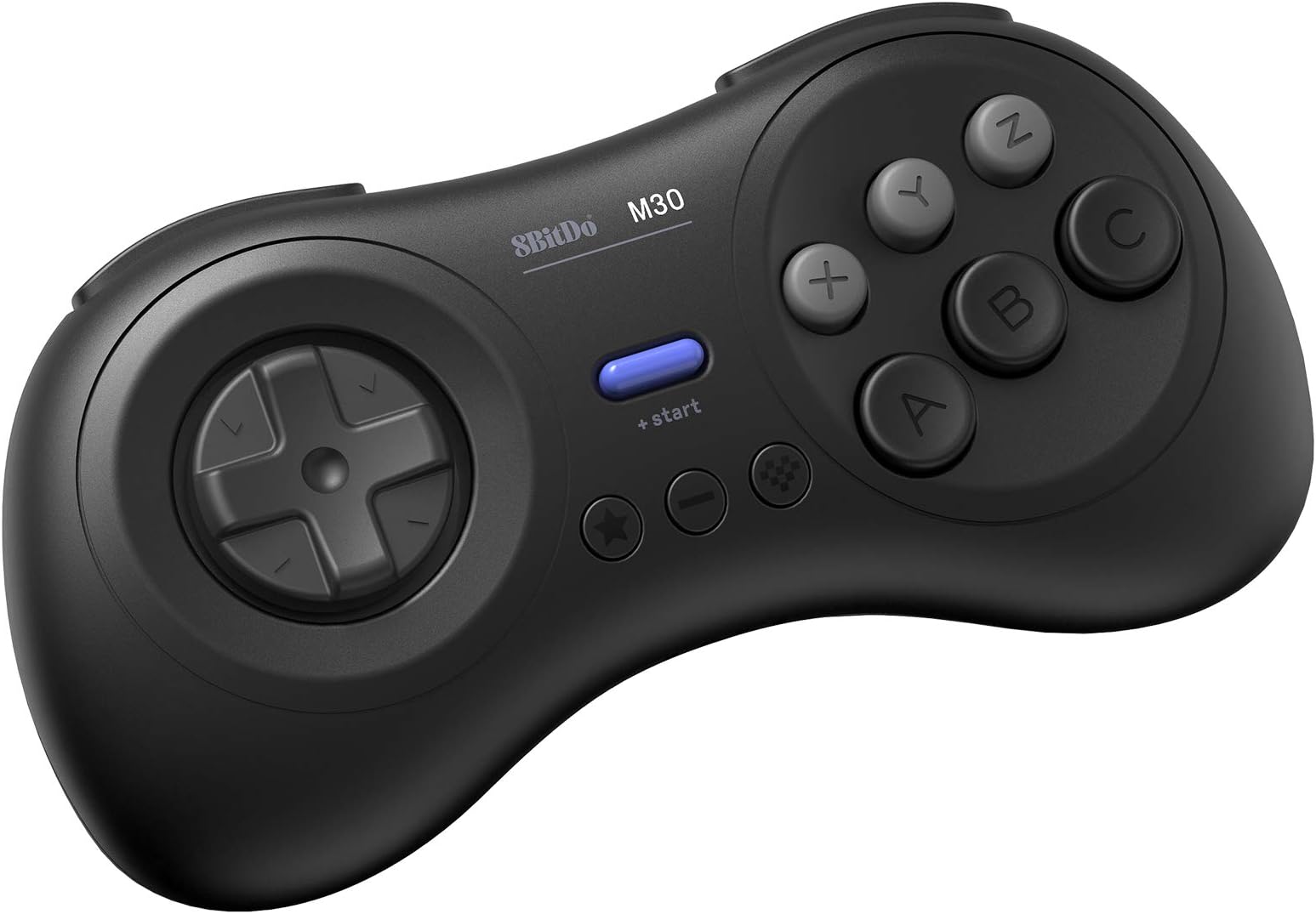




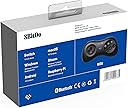
8Bitdo M30 Bluetooth Gamepad for Switch, PC, macOS and Android with Sega Genesis & Mega Drive Style
Product ID: 262673013
⚡Turbo function for rapid-fire control
🎮Bluetooth multi-platform sync
🔋Rechargeable lithium-polymer battery
Desertcart purchases this item on your behalf and handles shipping, customs, and support to British Virgin Islands.
🎮 Level up your nostalgia with next-gen wireless power!
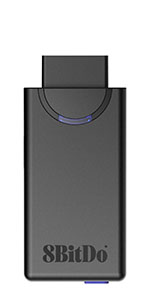
The 8Bitdo M30 Bluetooth Gamepad combines iconic Sega Genesis & Mega Drive aesthetics with versatile compatibility across Nintendo Switch, PC, macOS, and Android. Featuring Bluetooth connectivity, a rechargeable lithium-polymer battery, turbo function, and upgradeable firmware, it delivers a seamless, high-performance gaming experience for the modern retro enthusiast.




| ASIN | B07MSN1NPC |
| Batteries | 1 Lithium Polymer batteries required. (included) |
| Best Sellers Rank | #5,344 in Videogames ( See Top 100 in Videogames ) #144 in Nintendo Switch Controllers |
| Customer reviews | 4.4 4.4 out of 5 stars (2,899) |
| Item model number | 6922621500735 |
| Language | English |
| Product Dimensions | 15.7 x 4 x 9.8 cm; 136.08 g |
D**O
Why is Mortal Kombat 3 on PC not responding to this Controller?
This star rating is merely out of frustration. Why is this pad none responsive and not working with my Mortal Kombat 3 installed game on my Laptop?? I already purchased the other Nintendo type 8bit SN 30 and it is working well with games like "Gaurdian Legend" and Super Mario Bros 2.
S**M
A must have for shoot-em-ups on the Nintendo Switch.
So from what I've been reading, a vintage Japanese Sega Saturn controller is considered the ultimate gamepad for shoot-em-ups. Some people prefer the arcade stick, but I think the Saturn controller is more popular in the SHMUP community. It's also considered the best gamepad for retro fighting games, though an arcade stick is favored over the traditional gamepad for fighting games. However, there aren't any adapters that will let you use a real Saturn controller on the Nintendo Switch, so I decided to give this a try. Well, my SHMUP skills shot through the roof as soon as I tried out this pad. I never got seriously into the genre, but I'm now starting to since I have the proper equipment for it. I found modern analog sticks terrible for SHMUPS. There are many instances where you'll need to slowly move in one direction with the bullet patterns(or in some games like Radiant Silvergun or Ikaruga, to get through tight corridors), and this can only be accomplished on an analog stick by tapping the stick to one side over and over again, which works horribly because it's an analog stick, not a button. The Sony/Microsoft/Nintendo d-pads work for moving slowl, but they're still bad for SHMUPS since it's hard to move diagonally or in a circle. However, the 8-direction Sega-style d-pad is perfect. You can move slowly to one side by clicking the d-pad repeatedly and easily move in 8 directions. I wish I could compare this to a vintage Saturn controller or the officially licensed Retro-bit Saturn controller for Switch, but I haven't used either. I can't say if those are better or worse than those. All I know is that this blows away trying to play SHMUPS on a a DS4, Xbox One controller, or Switch Joy-cons(some people do actually like the DS2 for SHMUPS though, try if if you want :Þ). Games I've tested on it include Radiant Silvergun in Retroarch, DoDonPachi Dai-Ou-Jou in Retroarch, Ikaruga on PC, Touhou 16 on PC, Danmaku Unlimited 3 on Switch, Gunbird 2 on Switch, and Aero Fighters 2 on Switch. All controlled beautifully. A few things to note. For Retroarch I had to put it into Android mode(start+B). Windows mode(start+X) had a glitch where the R-button was just a duplicate of the Z-button and L wasn't recognized at all. For Touhou I had to put it into Windows mode and to use Joy2Key, since Joy2Key would not recognize Android mode. Both Android and Windows mode work with Steam, however, in Windows mode LB is mapped to L on the gamepad, LT to R, RB to Z, and RT to C. With Android mode it's mapped like it is on the Switch where L is LB and R is RB, which makes way more sense. But the bottom line is, if Windows mode is not working right on PC then use Android mode, Windows will recognize either(note that I do not know if Android mode works in wired mode, I tested with bluetooth mode). Apparently one is Xinput and one is Dinput, hence the different compatibility. And of course, Joy2Key is always an option for games that refuse to recognize the gamepad like Touhou. I had no issues with it on Switch since the Switch let's you remap controls now. However, the manual doesn't tell you how to change the D-pad from emulating the left analog stick to emulating the D-pad, even though it does have that feature. It's so typical of retro stuff to put features in and not tell you they exist. The pad also worked great in the Sega Genesis classic collection on Switch with Sonic 2 and Streets of Rage 3, and it worked well with Sonic Mania. I'll have to try it with Streets of Rage 4 soon. So bottom line, I can't compare it to the officially licensed Retro-bit controllers for the Nintendo Switch, I just know this a really good gamepad on it's own. And of course a vintage Saturn controller and an adapter is probably superior if you're serious about PC SHMUPS, but they won't work on Switch and will cost you more than this gamepad and lack bluetooth and the extra buttons. Also, while Retroarch, Steam, Joy2Key, and Switch all worked perfectly with this gamepad in the end, it did take some trial and error(that is the norm for anything other than Xbox controller/Windows and pro controller/Switch). I'll just say if you want a gamepad for PC and Switch that's great for SHMUPS and fighting games and classic Sega games, this works great.
L**S
Control de buena calidad
El control es de buena calidad. Los botones tienen buen tacto. Muy buenos materiales y buena manufactura. A pesar de ser bluetooth no tiene lag.
C**R
Una gran experiencia .
¡ Qué gozada! La cruceta es muy buena y el tacto es genial. Seguro que te gusta más la snes pero escucha: este mando es mejor en 8bitdo. Con mucho mimo. Tienes seis botones ( me dan igual l y r en este caso) para los arcade y juegos de lucha , lo cual permite hacer las combinaciones a la perfección gracias a su excelente tiempo de respuesta.
M**S
Feels great in the hands; works great over bluetooth
For a hybrid between the Saturn and Mega Drive Joypads, the 8BitDo M30 looks and feels like the best of both retro worlds. If you like the way a Mega Drive controller feels in your hands, you'll love this one, and even if not, it still feels plenty comfortable. The D-Pad has the right amount of travel, 6 action and 2 shoulder buttons means that it has no fewer buttons than a PS-style controller, and even the mushiness/clickiness of the buttons feels just right. For 30 bucks, this is a reasonably priced joystick with matching quality. It's excellent for emulators and older games, and great for modern games that don't require dual sticks, like Stardew Valley, Sonic Mania, or Puyo Tetris. Just make sure you have a decent bluetooth connection - my notebook's a bit spotty (also with bluetooth audio) and sometimes input is stuck; getting closer to the computer solves the problem, but I know mine is an extreme case, and it will still work flawlessly up to a meter and a half away.
P**O
Tanta resa a poco prezzo!
Ho scoperto 8BitDo negli ultimo mesi, ho preso prima un NES30 poi uno Zero ed adesso questo M30. Quello che mi ha colpito e che è comune a tutti e tre e la funzionalità bluetooth che è ottima, ed è compatibile con PC, Mac, Android, PS4 e xbox e Nintendo switch (X-INPUT e D-INPUT). Il prezzo di questo M30 è veramente abbordabile, può essere usato come gamepad cablato o bluetooth appunto e permette di essere abbinato su diversi dispositivi (uno per tipo) contemporaneamente. All'accensione premendo contemporaneamente un'altro tasto il gamepad si imposta nella modalità desiderata. ad esempio: Switch: START+Y Android: START+B (D-INPUT) Windows: START+X (X-INPUT) macOS: START+A premendo solo start, il gamepad si accende nella modalità con qui è stato usato l'ultima volta. Per spegnerlo bisogna premere START per 3 secondi, e per abbinarlo (solo la prima volta) è presente un pasto PAIR vicino alla porta USB-C posta sul frontale La qualità dei tasti è discreta, ma assolutamente adatta per la maggiorate dei giochi "semplici", ovvio per i picchiaduro ci vuole un joystick arcade (che il progetto a cui sto lavorando) o per io giochi di corsa o volo recenti ci voglio gli stick analogici, ma per il retrogaming è perfetto. Io in particolare l'ho preso per usarne il PCB ed inserirlo in un joystick arcade che ho costruito per renderlo bluetooth anziché USB. Ed in particolare lo uso poi su Raspberry Pi con Retropie, ma l'ho provato sia sotto windows che macOS Mohave e funziona perfettamente!!! Che dire secondo me è il rapporto qualità prezzo è davvero ottimo, lo consiglio vivamente!!!!
Trustpilot
2 weeks ago
2 weeks ago