💼 Elevate your workflow with storage that keeps pace with your ambition!
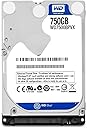
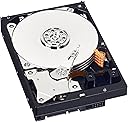
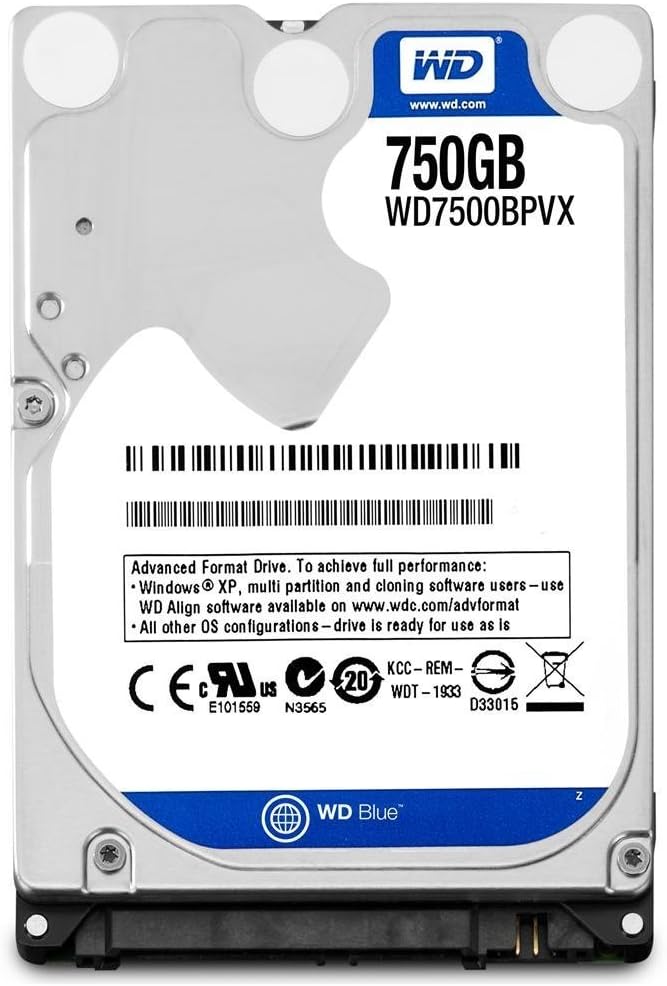
The Western Digital 750GB WD Blue Mobile Hard Drive is a 2.5-inch internal HDD designed for professionals seeking reliable, high-capacity storage. Featuring a 5400 RPM spin speed and SATA 6 Gb/s interface, it delivers steady performance with whisper-quiet operation. Certified by WD F.I.T. Lab for broad compatibility and bundled with free cloning software, it’s the perfect upgrade for laptops, desktops, and gaming consoles backed by a 2-year warranty.


| ASIN | B00C9TEC0Y |
| Additional Features | Portable |
| Best Sellers Rank | #426 in Internal Hard Drives |
| Brand | Western Digital |
| Built-In Media | Hard Drive |
| Cache Memory Installed Size | 8 |
| Color | blue |
| Compatible Devices | Desktop |
| Connectivity Technology | SATA |
| Customer Reviews | 4.5 out of 5 stars 2,463 Reviews |
| Data Transfer Rate | 6 Gigabits Per Second |
| Digital Storage Capacity | 750 GB |
| Form Factor | 2.5-inch |
| Global Trade Identification Number | 00718037800974, 00731215286513, 00804066533003, 02002745172002, 07612392247357 |
| Hard Disk Description | Mechanical Hard Disk |
| Hard Disk Form Factor | 2.5 Inches |
| Hard Disk Interface | Serial ATA-600 |
| Hard Disk Rotational Speed | 5400 RPM |
| Hard-Drive Size | 750 GB |
| Hardware Connectivity | SATA 6.0 Gb/s |
| Hardware Platform | PC; Mac |
| Installation Type | Internal Hard Drive |
| Item Part Number | WD7500BPVX |
| Item Weight | 4.32 ounces |
| Manufacturer | Western Digital |
| Media Speed | 16 |
| Mfr Part Number | WD7500BPVX |
| Model Name | Blue |
| Model Number | WD7500BPVX |
| Number of Items | 1 |
| Special Feature | Portable |
| Specific Uses For Product | Personal |
| UPC | 734911506961 731215286513 163120912933 012300419390 804066533003 718037800974 |
| Unit Count | 1.0 Count |
| Warranty Description | Western Digital ("WD") values your business and always attempts to provide you the very best of service. No limited warranty is provided by WD unless your WD Product ("Product") was purchased from an authorized distributor or authorized reseller. Distributors may sell Products to resellers who then sell Products to end users. Please see below for warranty information or obtaining service. No warra… |
V**E
Fast & Easy Upgrade for 80GB PS3 Console (Fat Console- Metal Gear Solid Limited Edition)
This is my first review and I'm so absolutely thrilled with this hard drive. For years (literally), I had put off replacing my full to capacity PS3 hard drive because I thought it would be a huge hassle. Because it had been so long since I had actually played the system I opted to replace the hard drive without backing it up. I figured I'll just have fun replaying all my old games and the only data I had on the system was saved game data and Playstation Plus titles. Anyway, I prepped by installing the PS3 firmware on a USB drive which was only 190MB before attempting to replace it and then tried to get pumped up to actually replace the hard drive. It turns out I was worried for nothing and it's only 5 little Phillips head screws. All this time I had been procrastinating and putting this off and it turned out to be the easiest thing ever. The PS3 turned on, formatted itself and amazingly recovered all the system files. I didn't even need the jump drive and I was automatically logged back in to my user profile and my Playstation Plus account. I'm so mad I made such a big deal out of it and it was really quick and simple. Anyway, when I went to system information, I had 620/698GB free. A week later I have about 500GB free after downloading a lot of my Playstation Plus titles. One thing I have noticed is the drive is slower than I expected but I really can't attribute that to the drive itself because I am using Wi-Fi and it probably should be hardwired to download such large files. Also, I've always had problems with my modem and router. But I plan to switch to DSL internet soon and update the review when I have a different ISP to determine if it's just the internet connection. Overall I am really happy with the ease of installation. I must admit I was a little nervous when I received it because the drive was in a plain box in a static-free sleeve with no instructions or packaging but it really couldn't have been more simple. Anyway, gotta go, GREATNESS AWAITS!!!
R**X
Solid drive for laptops.
Every couple of years I replace the disk drive in my Inspiron 1525 just to avoid a disk crash. Each upgrade provides more space: 320GB, 500GB and now 750GB. Along the way, I added a Ubuntu partition of only 60GB. Ubuntu has turned out to be a very good alternative to the Mac OS X and especially the Windows 8 disaster. When I chose this disk, I went for the size so that I could expand my Ubuntu file system. My bias for the laptop disks is the slower 5400 RPM which seems to be more reliable. I would have liked a little more disk cache, but I haven't noticed any performance difference with the smaller 8MB cache. I do not like the SSDs because they become sluggish after a number of writes and Windows, when I use it, is always swapping memory in and out for some unknown reason. That's not good for an SSD. Since I am going with Ubuntu, I backed up my old 500GB disk using PartedMagic onto a large 3.5" drive. After installing the WD drive, I restored the exact same 500GB image. My plan had been to create a new 250GB partition for large files. This didn't work out since I had reached the maximum number of partitions (six or seven) that could be supported. It works great as-is and some day, I'll work on accessing the additional space by expanding the existing partitions or deleting one of the useless partitions that Dell has (ie the backup "D" partition and the embedded XP "media button" partition). Maybe when I do the next disk upgrade! I put the drive to heavy use, creating many small files and then combining them into large files. The drive is not loud, but can be heard if my laptop is on my lap. The noise is nothing compared to the CPU fan when it comes on which is probably due to it being full of dust after all the years of use. The highest importance is the reliability. I do not want to waste days to recover from a failure. Also, I do not want to back up constantly like my Mac's do. I do not use cloud storage - which would be very reliable - because the only files I would put on there I do not trust to be on the Internet. Since Snowden revealed the existence of back doors, one can be sure that criminals are using them. That being said, after three months of frequent use, this drive has been solid. I will update this review if a failure occurs in the two year period (and downgrade the five star rating if that were to happen).
G**S
WD consistently delivers quality and reliability at a fair price
I've had lots of experience with WD drives, all of them good. Bought this as a replacement for my Mom's laptop. Computer repair shop quoted her at least $20 more than what I paid, and that was just for the hard drive, extra for labor. Told her to forget the repair shop, ordered this one and installed and set it up with no problems. I've had poor experience with Seagate hard drives and when my Mom's laptop failed and we determined that it was due to a failing hard drive I bet her that it was a Seagate hard drive; it was. She had only had the laptop about 5 years. As a side note, I also used a WD hard drive when I repaired her desktop computer over 5 years ago. I have several WD drives of my own (netbook, 2 laptops, 2 desktops, and several externals both 3.5 and 2.5) and have been more than satisfied with the products and the company.
M**B
Sometimes You Need an Intel Driver for this Hard Drive
I purchased the 750GB WD7500BPVX drive from Amazon to replace the crashed 500GB Toshiba drive in my Samsung notebook model NP-R480-JAB1US. The drive shipped promptly and came well packed from Amazon. I managed to get it installed and it works fine. For $50, it brought the Samsung back from the grave. So I am happy with the drive. The real issue for me was the question of whether I could do the installation myself, so that is what I will discuss. The Samsung runs Windows 7. I had a system image backup on an external drive that I could use to reload the Windows System and I had a system repair disk to boot the system from a CD drive. The Samsung now refused to boot the repair disk with the bad Toshiba drive still installed. I requested replacement Windows 7 media (free) from the Samsung support line and received it on optical disk after a couple of weeks. This would let me boot and reinstall Windows even if the repair disk was faulty. The drive arrived. I was unable to remove the access panel on the bottom of the Samsung using the instructions in the User Manual. Samsung support provided good instructions and the thing then popped open with no trouble. A strap on the Toshiba drive said "pull" and so I did. Out it came. A connector which must be reused popped out also. The WD drive installed without incident. (You might want to watch the WD video on installation precautions with static electricity) With the drive replaced, I discovered the repair disk would now boot the way it once did when I first created it. I now had a choice of restoring Windows from the system image or from the replacement media. I first opted for the replacement media. It went fine and I could boot Windows from the new WD drive. The wireless lan device driver did not install, so I decided to try the system image since I did not know what or where to get the wireless device driver. The system image process wants to partition the new WD drive the same size as the old drive. Let it do this and deal with the partitions later. The system image reinstalled ok. NOW PAY ATTENTION! Everything was working fine until I tried to run Windows Update from the Control Panel. It refused to run. I spent a lot of time on this problem, but here is the short version. The Western Digital 2.5" blue drives in size 750GB and 1TB are "Advanced Format" drives. In some instances they need to have the Intel Rapid Storage Technology Driver version 9.6 or later installed. Problems with Windows Update is one symptom of this need. So once you get the WD drive and Windows installed on a PC with an Intel chipset, check the Windows Update function. If it does not work,you need the Intel driver. I ran driver version 9.5.6 downloaded from the HP support site (as sp47845.exe) for a month. This seemed to fix everything and I was happy with this version of the driver until I looked over the WD support info and noticed the requirement for version 9.6 or later. The latest version on the Intel support web site is version 13.2.4. This version would not install on my Samsung. I finally discovered that version 9.6 still exists for download on the Intel site as filename STOR_allOS_9.6.0.1014_PV.exe. (Search on the file name and you will find it easily.) This version 9.6 will install and run on the Samsung, so I am now complete and happy. So the bottom line is that the drive works well in my Samsung once you install the Intel driver software. I like the drive.
S**D
Works in TiVo Bolt!
I have a TiVo Bolt (2017), it has run perfectly for 4+ years, until the dreaded four lights started flashing. Finally, after trying a few other drives, the Western Digital 500GB(WD5000LPCX), did work, which is the one that was in my Bolt initially (did not upgrade). It took just a couple of minutes for the setup menu to show (did not with the others). Went through all the steps but, the very last one where it verifies, said it could not, and to call TiVo service, which I did. Turns out, when you're Wi-Fi connected by ethernet (my choice), they recommend using any of the ports on your router, except port #1. After that, it worked fine. I used port #2. I found videos to help me replace the drive. After swapping out the drive, I connected the power, HDMI to TV, the Ethernet to my router, and my digital antenna. If I can do this ...you can! It has been a few weeks and so far, so good.
C**R
A Very Good OEM Replacement Item
I purchased this hard drive to replace the original one in a well cared for Toshiba P55-A5312 laptop that was gifted to me; a clean install of Windows® 8 (quickly upgraded to Windows® 8.1 with 70% of the "bloatware" removed), a battery replacement for good measure, and suddenly I am the proud owner of a great little machine. Delivery of the item was as promised and the product was packaged in a static-free bag in a heavy duty cardboard box. I have a Western Digital external hard drive that I have used for years, so I am familiar with the brand. Highly recommended if you need to replace a laptop hard drive on a budget.
T**S
Well this thing save me big time
Well i had problems with my bran new hard drive so i came on amazon looking a replacement right away this was the perfect buy took awhile to reach me based on my location no fault of amazon now the seller, but when i got it it work perfectly i will give it 5 star this sure fix the problem i had and its super snappy cons : a little bit big compare to what was in my machine b4 but still small enough good : works fine, have some speed, although not the thinnest it was good enough for my dell i give this thing 5 star
E**T
Terrible reliability. Failed completely at 11 months, losing everything.
I bought one of these and it died critically and suddenly after 11 months. I lost 11 months of work because I trusted a new drive to last at least a year, but apparently, that trust is foolhardy these days of cheapening quality. I could have gotten a free replacement, but kept it because I wanted to be sure that I could try and do professional recovery if I really needed to. The regular recovery programs weren't working with it, but I read that Linux had a host of superior and free hard drive programs, so I built a dual boot Linux/XP box. I can tell you, using Linux disk recovery programs were so much better. I was able to restore another hard drive in my other computer that PC programs hung up on. Ddrescue is a tool preinstalled on Linux that allows copying block by block, so less stress on the failing hard drive in doing a direct copy, rather than trying to do something more involved. Pros use similar tools build on Linux programs, so if you don't want to spent $1000, it might be best to create a Linux boot Flash drive and do your own recovery. Now, I do stand by the WD Black series. I have three of 1TB drives, one is 5.5 years old and has been under a lot of high heat conditions and still is going, one has been running over a year now, and the other I just got in the mail. The Black series are far more reliable. Also, from what some data centers reported, HGST (a WD company) is far more reliable overall. Either way, just don't ever buy these garbage drives. They might work, but they are far too risky not to spend an extra $10 or so to get something far more stable and trusted.
I**N
Muy buen producto
Un buen producto, llego en su empaque y caja original ademas protegido en otra caja. Funciona bien y buen precio.
P**L
Disco Duro perfecto para ampliar la capacidad de la PS3
Lo compre para ampliar la capacidad de disco de mi PS3 Slim de 150 GB y va perfecto, el cambio se realiza muy rapido y el sistema lo ha reconocido sin ningún problema, lo recomiendo te quedan libres despues de instalar el sistema operativo unos 700 GB para juegos.
C**A
entrega rápido e valor baixo
É um ótimo valor pelo produto, na verdade, é um valor difícil de achar hoje em dia por memory disk. Como um hd, é lento em carregamento, se você quer comprar para jogar, saiba que o seu desempenho em certos jogos pode cair, ainda mais se usar como HD externo(como no vídeo) mas se você não liga para isso, é um ótimo produto. Veio 100%, já testei e armazena oque promete, não é um pendrive de 16gb dentro de uma carcaça de SSD 2TB da Kingston que o Carlão vai te vender no marketplace👏🏾
A**N
Ps3
Top, schnelle Lieferung, für ps3 bestellt, hat alles super funktioniert
M**M
Western Digital WD7500BPVX interne Festplatte 750 GB ( 6,3 cm (2,5 Zoll )
Diese Festplatte verspricht und hält alles: + schnell + leise + top preis leistung Nach ergibigen Test bin ich zu dem entschluss gekommen dass Die Festplatte von Western Digitalin einwand freie läuft und dass es auch noch eine der günstigeren Produkte ist, was ich mir zugelegt habe.... Zumal ist es auch schon die dritte binnen kurzer zeit und mit 250 GB mehr Speicherkapazität nichts besseres 5 Sterne sind merh als verdient, und ich kann sie nur weiter empfehelen. Man bekommt auch bei Amazon oft nur Top Produkte und alles geht sehr schnell ohne lange wartezeit einfach mega Klasse
Trustpilot
1 month ago
2 months ago