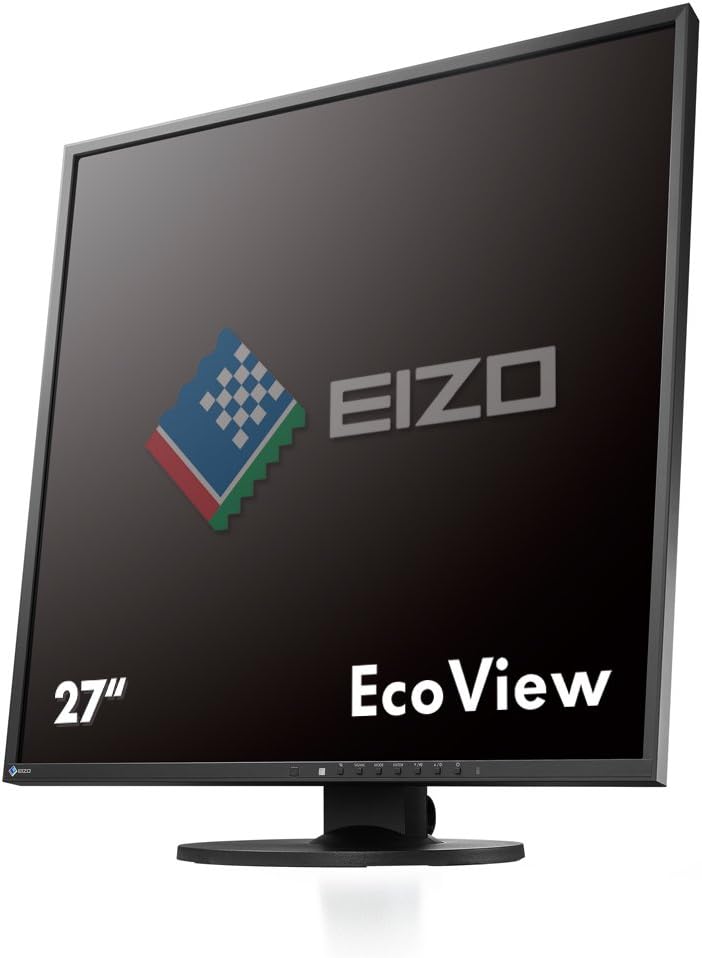


EIZO FlexScan EV2730QFX 26.5" Square IPS Monitor 1920x1920 (EV2730QFX-BK)
Product ID: 14760474
Details
- BrandEizo
- Screen Size26.5 Inches
- ResolutionFHD 1080p
- Aspect RatioUnknown
- Screen Surface DescriptionGlossy
Review: a lot of people can't imagine why life would be better with a square - Life-changing monitor! The only suitably sized and priced square monitor I could find. I know: a lot of people can't imagine why life would be better with a square. But once you get used to this screen, going back to a typical 16:9 one makes you feel like you're imprisoned in this horrible short box that you can't get out of. If you spend a good deal of your life in cyberspace, spend the extra dollars to make it a free and open experience instead of like being in the middle seat on an airplane. Review: The monitor that wanted to be a bitcoin - UPDATE: Less than 3 years later the backlight is fading so that it's are to see one half of the screen. Warranty says backlights aren't covered. But for a $1300 monitor it better be... ----------------------------------- The pricing of this monitor is so crazy it might as well be bitcoin. It was a mere $1300 when I bought it. But... I am happy with my purchase. Square monitor is pretty nice for coding. There is nothing too special about this display other than the rare resultion. By that, I mean everything works fine, and there is nothing about the picture to complain about. Nothing is extra amazing. I will say the speakers are not good enough to factor them into your buying decision. Eizo should just leave them out of the design and charge a little less. The one hassle has been connectivity. There is DVI and displayport, maybe VGA (?), but definitely no HDMI. For a single monitor setup, this isn't an issue. For multimonitor it is a source of frustration. For switching between a work PC and a home PC, or three computers in my case, it is a major hassle. There is no shortage of HDMI sharing switches, for 3, 4, 5 different inputs. But for displayport, there's like one option with two inputs on all of desertcart that doesn't get pricey. Using an adapter to convert from DVI to HDMI is not an option in this case, because most of them will not support resolutions beyond 1920x1200. Or they do, but the maximum refresh rate is 30 hz, providing an unacceptable viewing experience. If the company plans on selling this in the future, they would be well advised to make this model compatible with daisy chaining, or change the displayport to HDMI instead.
| ASIN | B00R58MLSY |
| Additional Features | Flicker-Free |
| Aspect Ratio | Unknown |
| Brand | Eizo |
| Color | Black |
| Compatible Devices | Devices with USB, DisplayPort, or HDMI interfaces |
| Connectivity Technology | Bluetooth, DVI, DisplayPort, Ethernet, VGA, Wi-Fi |
| Customer Reviews | 3.8 out of 5 stars 53 Reviews |
| Display Resolution Maximum | 1920 x 1080 |
| Display Technology | LCD |
| Display Type | LCD |
| Global Trade Identification Number | 04995047045526 |
| Hardware Connectivity | DisplayPort, USB, USB 2.0 |
| Has Color Screen | Yes |
| Item Weight | 7.1 Kilograms |
| Manufacturer | EIZO Inc. |
| Model Number | EV2730Q-BK |
| Mounting Type | Wall Mount |
| Native Resolution | 1920 x 1920 |
| Processor Count | 1 |
| Resolution | FHD 1080p |
| Response Time | 5 Milliseconds |
| Screen Finish | Glossy |
| Screen Size | 26.5 Inches |
| Screen Surface Description | Glossy |
| Specific Uses For Product | Business, Education, Gaming, Photo Editing, Programming, Video Editing |
| Total USB 2.0 Ports | 1 |
| Total Usb Ports | 3 |
E**A
a lot of people can't imagine why life would be better with a square
Life-changing monitor! The only suitably sized and priced square monitor I could find. I know: a lot of people can't imagine why life would be better with a square. But once you get used to this screen, going back to a typical 16:9 one makes you feel like you're imprisoned in this horrible short box that you can't get out of. If you spend a good deal of your life in cyberspace, spend the extra dollars to make it a free and open experience instead of like being in the middle seat on an airplane.
V**E
The monitor that wanted to be a bitcoin
UPDATE: Less than 3 years later the backlight is fading so that it's are to see one half of the screen. Warranty says backlights aren't covered. But for a $1300 monitor it better be... ----------------------------------- The pricing of this monitor is so crazy it might as well be bitcoin. It was a mere $1300 when I bought it. But... I am happy with my purchase. Square monitor is pretty nice for coding. There is nothing too special about this display other than the rare resultion. By that, I mean everything works fine, and there is nothing about the picture to complain about. Nothing is extra amazing. I will say the speakers are not good enough to factor them into your buying decision. Eizo should just leave them out of the design and charge a little less. The one hassle has been connectivity. There is DVI and displayport, maybe VGA (?), but definitely no HDMI. For a single monitor setup, this isn't an issue. For multimonitor it is a source of frustration. For switching between a work PC and a home PC, or three computers in my case, it is a major hassle. There is no shortage of HDMI sharing switches, for 3, 4, 5 different inputs. But for displayport, there's like one option with two inputs on all of Amazon that doesn't get pricey. Using an adapter to convert from DVI to HDMI is not an option in this case, because most of them will not support resolutions beyond 1920x1200. Or they do, but the maximum refresh rate is 30 hz, providing an unacceptable viewing experience. If the company plans on selling this in the future, they would be well advised to make this model compatible with daisy chaining, or change the displayport to HDMI instead.
N**J
Immersive experience, your neck will thank you
I spend a disproportionate time of my day in front of a computer screen. This square monitor is the most natural way to layout content in a way that doesn't hurt your neck or shoulders. It's hard to go back to a regular screen. Looks very clear/crisp on black backgrounds as well (especially when I am looking at tiny text on a black background). You can connect up 4 of these using a usb-c to display-port cables (not included with the monitor). One of these can replace 2 of the regular monitors. Combine that with "Desktop Spaces" on a mac, very powerful as you can switch desktop using a horizontal swipe.
R**H
Worked great for a little while
Died after 18 months. Update: started working again.
R**N
Large square to view needed pages and fanastic picture quality.
The compact square size fits well on desk next to other monitors. Well be adding one more next year to save room and get excellent picture quality in a limited space. Been waiting years to finally do this and this monitor lives up to what its rated to provide.
J**N
Could it be improved? Yes. Would I recommend it anyway? Yes
Almost all monitors these days are in landscape orientation, which is good for watching movies and playing games. Given that the modern web site design is vertical, and that I spend most of my computer time consuming and creating documents, not watching movies nor playing games, this monitor offers a strong advantage. It displays 78% more vertical content than a standard 1920 x 1080 monitor. With a normal landscape monitor one is constantly scrolling, scrolling, scrolling to access more content. For some people this probably even adds to their RSI. The EV2730Q offers the most vertical pixels of any monitor that I am aware of – 1920 pixels at a normal pixel dot pitch of circa 0.24 mm. (4k monitors offer more pixels, but you need twice as many of them to get back to normal text size) The closest landscape orientation competitor would be a 30 inch monitor at 2560 x 1600, which I also considered. Another alternative is to take a landscape monitor and rotate it 90 degrees. I tried that for a while with my 24 inch 1920 x 1200 pixel Dell Ultrasharp, but then you have a monitor that is 1200 pixels wide, and that is too narrow. At first, I found the vertical distance of this monitor too much, but after a day I got used to it and now enjoy not to have to scroll so much. The colors are good (though I do little photo editing and I have not calibrated this monitor) and the monitor is sharp. Negative points: - the only input ports are Dual link DVI and Displayport. Most video cards have a single link DVI output which goes up to a vertical resolution of 1200 pixels, and an HDMI port for resolutions above that. However, this monitor DOES NOT have an HDMI port. So beware, you effectively need a Displayport, which most PC mainboards/graphics cards do not have. I had to wait for a PC upgrade to specify a Displayport output. Eizo should have included an HDMI input port - the labels on the settings buttons are so faint that I cannot read them without a flashlight - the built-in USB 2 hub should have been USB 3, though Eizo would probably say then the price would have to be higher - the monitor has speakers built in, which I find an advantage, because my separate music speakers consume a lot of power, and I don’t want to leave them on all day. One can get the audio signal to the monitor’s speakers through the displayport input, however, then Windows’ sound settings must be used every time to switch between the monitor’s speakers and my separate speakers. There is also a separate audio input jack, so I use a splitter to feed the audio signal both to the monitor and to my separate speakers. However, when I use this, there is some crosstalk in the background, which is not audible in the separate speakers, so the problem has something to do with the monitor. I found that by turning down the monitor speaker volume to 50% it becomes inaudible, so that means that the usable monitor speaker volume is low in this configuration - after a period of not being used, when my computer turns off the display output, there is a slight delay (configurable I think) as the monitor reports that it is about to go into power save mode. If, at the end of this period, just as it is about to go into power save, one touches a key to prevent that, the monitor instead goes into limbo – not into power save and not on. Nothing is displayed but also the power led does not turn amber to indicate that it is in power save mode, and touching further keys does not turn the display on again. Turning the monitor power off and then on again clears the problem (so it is not caused by my PC not displaying an image) For a monitor of this price with Japanese engineering there should be no bugs, such as the audio crosstalk or the power save mode entry limbo. Yet these are mostly minor issues, the lack of an HDMI input port could be the only showstopper. Overall this is a pricey but unique monitor with its vertical coverage, and I would recommend it for any serious professional who spends most of their computer time on activities other than watching movies and gaming.
Y**Y
Amazing piece of hardware...
This things amazing... totally worth getting if you write code or design anything.
T**R
Easily the best monitor available for creators
I have three of them side by side and it's a glorious amount of screen real estate. Back in the old days monitors were nearly square because they were CRT based, 4:3 was the most common. With LCD's arbitrary panel sizes can be created, so the industry moved to a landscape format (more wide than tall) because that's better for watching movies and gaming. However it's not great for content creators. For software development you need to have multiple windows, your IDE, a browser, terminal window, and others, and ideally you have a lot of screen real estate to keep from switching back and forth. But landscape monitors take up too much desk space, and if on the larger side (27") become too wide to comfortably view. In that case you have to keep moving your head around to take it all in which is annoying. Plus skimping on the vertical squashes windows too much, such as viewing images or code. I also use a P-L-P configuration (Portrait-Landscape-Portrait) but then the problem is that graphics drivers and the panels themselves aren't designed well for going to portrait mode. In OS X you get slow refresh, and Windows has a host of other issues. The panel itself is designed to be landscape and you get a poor view when it's tilted (plus cable issues, very mismatched aspect ratios and you need a stand which can do this). I've determined that three monitors is the ideal configuration. One isn't enough, two is unbalanced (and not enough), but three is perfect. These three maximally use the space on my desk and is the most comfortable set up I've ever head. I wish there were more square or 4:3 options available, unfortunately the 19" 4:3 monitors use low quality panels. But not this one. Now when showing content the aspect ratio (perfectly square in this case which is rare) isn't the only factor, theres also number of pixels and pixel size. For creators you want a bit smaller pixel size and a lot of them. This allows us to pack a lot of information (text, graphics, windows, ...) in a small viewable space. But it's a trade off, too small and you can't read the text. 4k is useless for this purpose in my opinion (too many small pixels to be useful). Likewise is a 1080p large TV screen (two few too large pixels). With this monitor Eizo found the perfect balance. It has 1.5 times the number of pixels as in a 27" Cinema display packed into a relatively compact shape. The matte screen is perfect at preventing glare (I also have glossy Apple monitors which look good but glare like crazy) and the monitors are easy on the eyes. The only thing I'd do differently is get rid of the speakers and USB. These are high end monitors that don't need those features (but if they left them out I'm sure somebody would complain.) The only downside is the price, but it's a huge upgrade to a computer and worth every penny.
T**O
Peca de pixeles muertos.
El monitor es impresionante, pero tuve dos y dos que devolví por problemas de pixeles muertos (y hablamos de un Eizo con panel LG), una lástima porque el formato (único) y calidad de imagen son impresionantes.
A**R
Productive monitor
Very good monitor for working. I myself am a programmer and the 1:1 format makes a huge difference when coding, browsing, reading pdf books, analysing data etc.
A**T
Eizo eccellente
Per chi ha bisogno del rapporto 1:1, non c'è molta scelta, ma comunque, Eizo eccellente, come al solito.
A**M
Overrated - except niche use cases maybe
Backlight bleed, mediocre color rendering, pixel density is 25% lower than a 768p display at 12.5" (thinkpad x230 default display). Compatibility issues you thought you could forget about around 10 years ago (dual lane dvi? sizing webpages? it will work, but won't be efficient, and there will alway be some fiddling, it'll never be flawless). Windows will not let you easily snap windows to the top and bottom half of the screen, you'll have to manually do that. Two cheap 1080p or 1200p IPS displays will get you better quality, around the same number of pixels, and will let you use the screen space efficiently with more customizability. At around quarter to half the price.
チ**ま
非常に良いと記載されていましたが、映像が全く映らない不良品でした。2端子とも試したがダメ
もともとデルのスクエアディスプレイを問題なく使っていた。もっと大きな画面でと思い購入。デルで問題なく使っていたディプレイポートのケーブルを使ったが、映像は全く映らず。早く仕事したかったので、遠くの大型家電量販店まで行って、店員にパソコンとディスプレイの接続端子の写メを見せて、新品のコードを購入。その後、電話で店員にアドバイスを受けながら接続を試みたが、全くダメ。店員曰く、ディスプレイは不良品ですね。 こんな商品を「非常に良い」と銘打って、高額で販売しておきながら、最も基本の映像が映るかどうかの検品すら怠っていたのかと疑問に思った。 あとで確認したら、ちゃっかり返品送料差し引かれていました。散々やりとりしたあげく、ミスを認めて謝罪しておきながら、客都合返品扱いされました。 長い間、Amazonでたくさん商品を買ってきましたが、ここまで悪質なお店は初めてで、あきれました。
Trustpilot
3 weeks ago
2 months ago